
Company that has their own customized image will almost always has their own set of application associated with specific file type. Not all individuals will opt for Microsoft Media Player to launch MP4 files. Some might prefer an alternative PDF application over Adobe Acrobat to view their PDFs. Others may not want Microsoft edge as their default browser.
Goal: Create a default application associations xml that will meet company requirement by allowing only specific file types to open with specific applications. This is used to prep new image.
Prep stage:
1. Set up a reference computer
2. Install applications
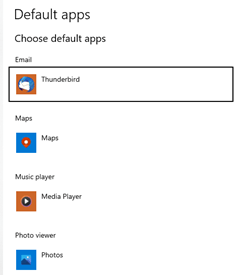
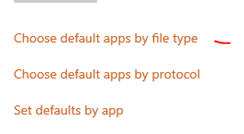
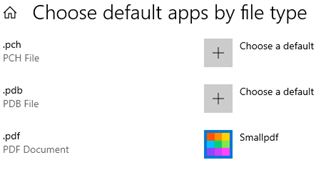
3. Go to Control Panel\All Control Panel Items\Default Programs and configure default apps associations. In Windows 10 1709, this control panel item is now in Settings app.
Post Prep:
1. Once the file type assignment is done, export the xml via powershell with admin privilege (*use for task sequence)
Dism /Online /Export-DefaultAppAssociations:”c:\temp\AppAssociations.xml”
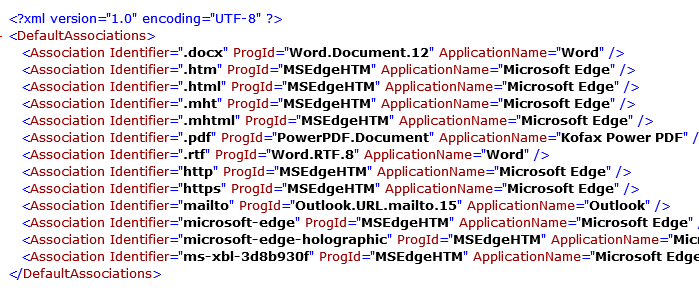
2. Verify the changes in the xml is there. It starts with association application name <…./>

3. Import the custom default app association with dism.exe. (*For use if you want to capture the image using imaging tool)
Dism /online /Import-DefaultAppAssociations:”c:\temp\AppAssociations.xml”
4. Your file will be copied to\Windows\System32 with the following name OEMDefaultAssociations.xml. The image will now read from the OEMDefaultAssociations xml and associate the extension with the appropriate application that has been set.

5. File associations will be configured for new users’ profiles. Existing profiles are untouched. Users can change file associations.
**Note that you need administrator rights to use dism.exe. And to export properly the associations use the same account used in step 3, otherwise you will get a incorrect XML file.

Result: now the xml has .PDF file type associated with SmallPDF along with other customization (export only works for new users) and useful for golden image.The exported xml can be placed in a network share and during a task sequence, a dism command can be run to import the AppAssociation.xml during re imaging process.

**Use cases:
When capturing an image using imaging tools
Or reference to xml when putting it in task sequence
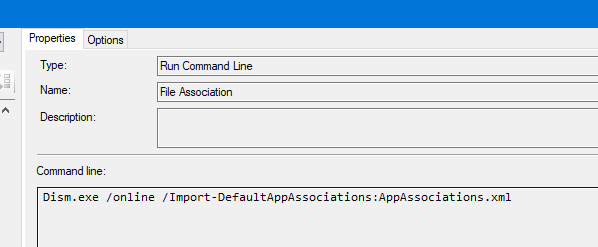
AppAssociation.xml example:
Source
https://www.thewindowsclub.com/reset-export-import-default-app-associations
 Steven’s Knowledge Base