
Update:**Do not use this policy to target Microsoft admin portal because it also blocks onedrive portal (https://onedrive.live.com/login/) due to weird bug**

I suggest the following methods to harden Azure management=Iplane:

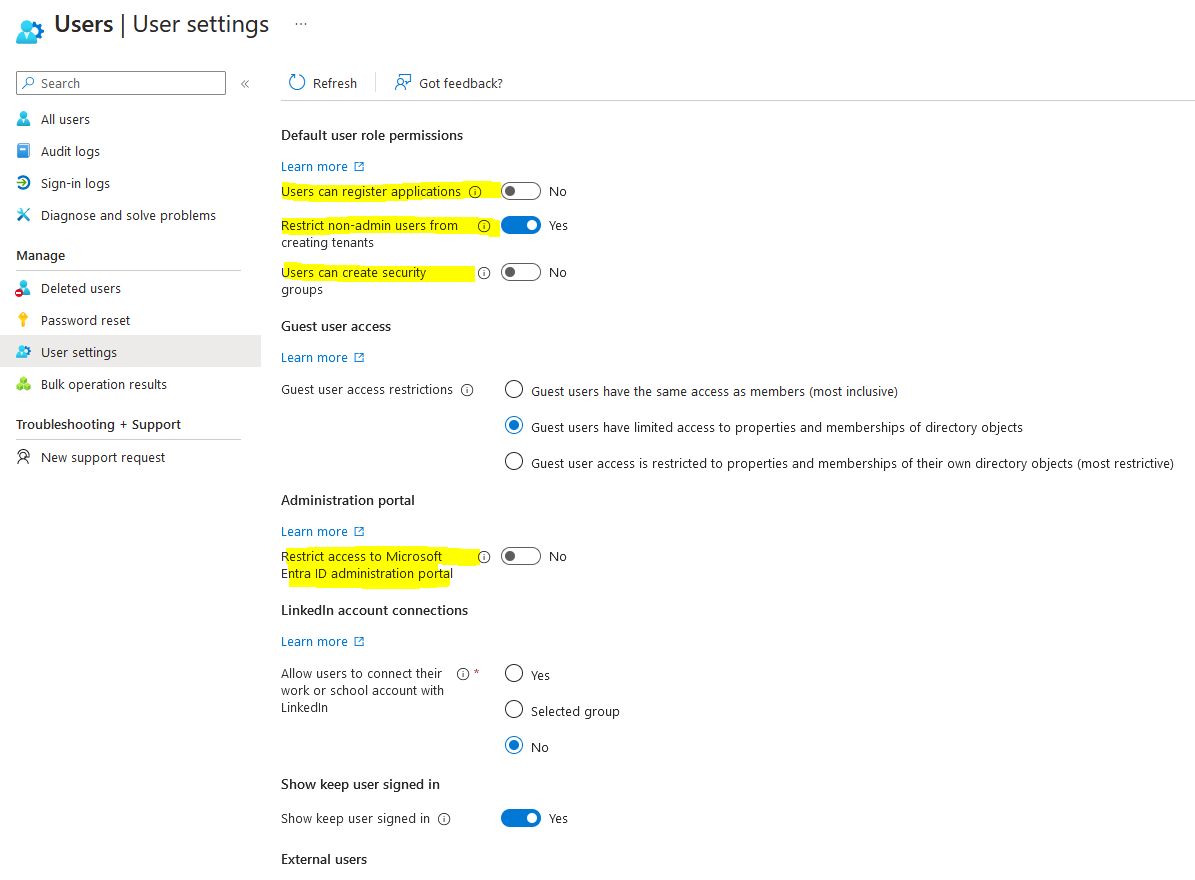
1) Entra > Identity > user > User setting and toggle “Yes” under restrict access to Microsoft Entra ID administrator portal

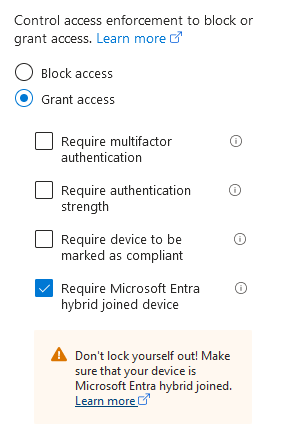
2) Implement a grant condition of allowing domain joined devices only.

3) Require MFA for all cloud apps
This policy will restrict access to the Azure management portal and the admin portal to IT administrators only. All other users will be blocked from accessing these portals. I highly recommend that admins carefully review user settings to harden the tenant and disable any unnecessary rights for users.
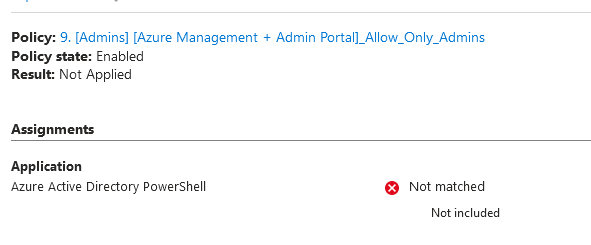
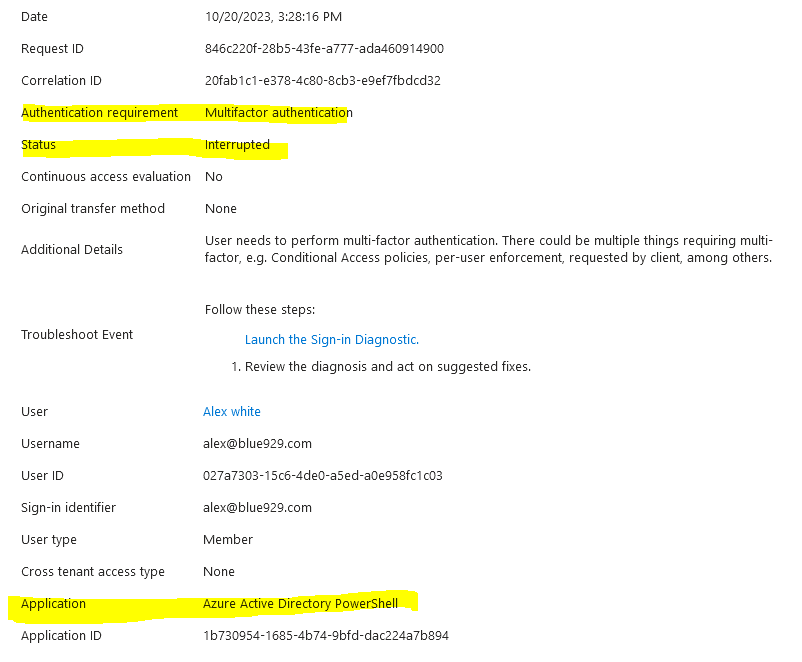
One important thing to note about this policy is that it does not seem to detect and block Azure AD Powershell from its policy even with Azure management is targeted. So I highly recommend a second policy to require MFA for all users accessing all cloud apps.
Goal: Block access to Azure management and admin portal for regular users without administrator roles from any device.
Azure and Admin portal only allow Administrators
By default, a domain users has permission to view some admin portals like Microsoft Entra admin center, Microsoft Intune admin center and Microsoft Purview compliance portal but not allow to make any changes. Those users should be blocked off to prevent gathering of any information about the tenant whether its via browser or commands.
Name:9.[Admins][Azure Management + Admin Portal] Allow_Only_Admins
Assignments:
Users:
Include:
All users

Exclude:
Users and Groups:
Break glass group, Current User

Directory Roles:
Application Administrator
Application Developer
Authentication Administrator
Authentication Extensibility Administrator
B2C IEF Keyset Administrator
Billing Administrator
Cloud Application Administrator
Cloud Device Administrator
Conditional Access Administrator
Directory Writers
Exchange Administrator
Global Administrator
Global Reader
Helpdesk Administrator
Hybrid Identity Administrator
Intune Administrator
Password Administrator
Privileged Authentication Administrator
Privileged Role Administrator
Security Administrator
Security Operator
Security Reader
SharePoint Administrator
User Administrator

Target resources:
Include:
Microsoft Azure Management/Windows Azure Service Management API
Microsoft Admin Portals

Grant:
Block access
What does the Microsoft Azure Management target?
- Azure Resource Manager
- Azure portal, which also covers the Microsoft Entra admin center
- Azure Data Lake
- Application Insights API
- Log Analytics API
Because the policy is applied to the Azure management portal and API, services, or clients with an Azure API service dependency, can indirectly be impacted. For example:
- Classic deployment model APIs
- Azure PowerShell
- Azure CLI
- Azure DevOps
- Azure Data Factory portal
- Azure Event Hubs
- Azure Service Bus
- Azure SQL Database
- SQL Managed Instance
- Azure Synapse
- Visual Studio subscriptions administrator portal
- Microsoft IoT Central
What does Microsoft Admin Portals Target?
- Azure portal
- Exchange admin center
- Microsoft 365 admin center
- Microsoft 365 Defender portal
- Microsoft Entra admin center
- Microsoft Intune admin center
- Microsoft Purview compliance portal
User experience
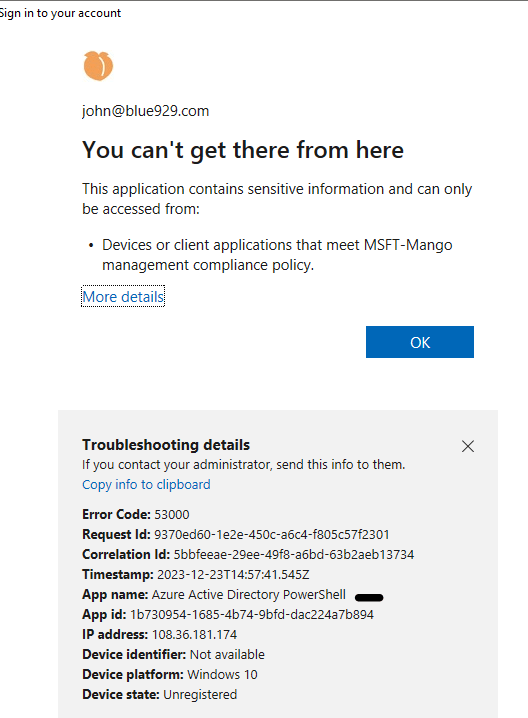
When a regular domain user try to sign into Entra admin center without any assigned roles:
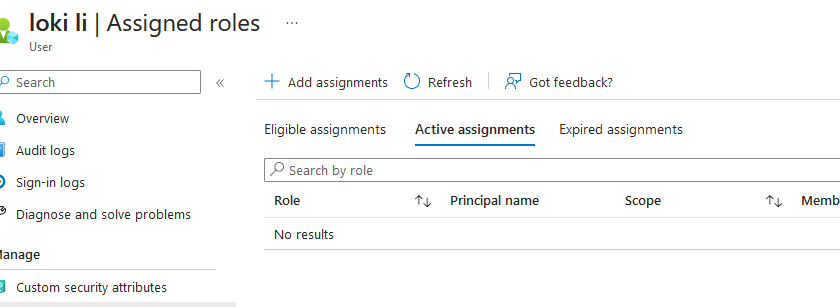
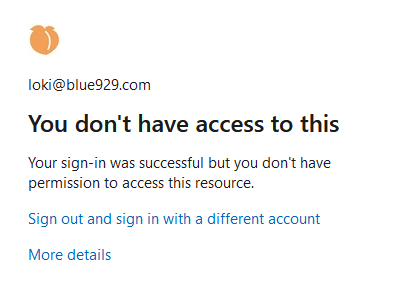
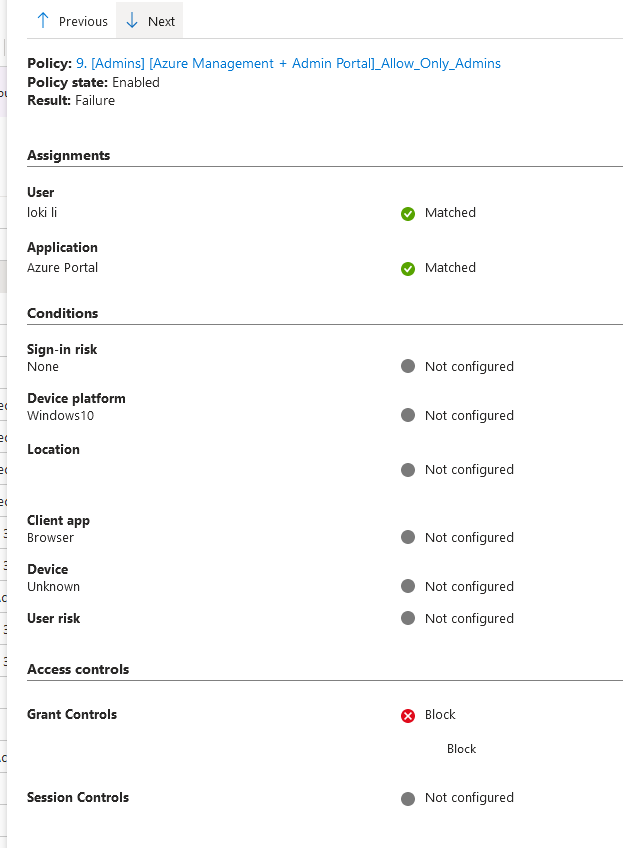
When a user try to access azure via powershell:
*Targeting the Microsoft Azure Management and blocking it DOES NOT prevent users from viewing tenant information from Azure AD Powershell.
For example, I am still able to retrieve information about the tenant via powershell using AzureAD preview module. The only thing required is users password (if MFA is not enabled). The user does not need to have any roles assigned to them.
- Install-Module AzureADPreview (Require Admin rights)
- Connect-AzureAd
- Sign in with a user without any roles.
List of command here: https://learn.microsoft.com/en-us/powershell/module/azuread/?view=azureadps-2.0-preview
Get-AzureADCurrentSessionInfo (Currently signed in as “Alex”)

Get-AzureADMSUser -Id alex@blue929.com
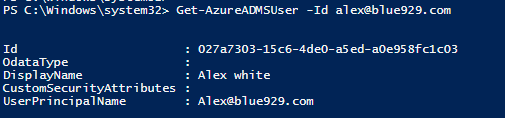
Get-AzureADDirectoryRoleMember -ObjectId 027a7303-15c6-4de0-a5ed-a0e958fc1c03 (Listed roles assigned to “Alex”. Results: This current user does not have any)

Get-AzureADMSAuthorizationPolicy
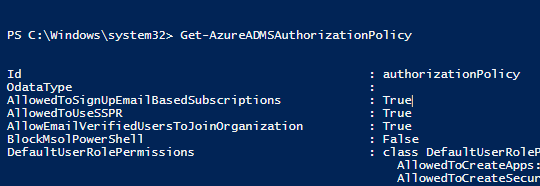
Get-AzureADDevice

Get-AzureADMSUser
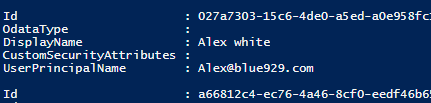
Get-AzureADDirectoryRole (Find out the roles deployed in the tenant)

Get-AzureADDirectoryRoleMember -ObjectId 79dd5576-f758-481c-9f24-b4a2cda0e2b2 (Find out which users has the Intune Administrator role)

From Conditional access sign in logs WITH conditional access policy applied, a regular user is able to retrieve all those information with just a password. CA does not match azure active directory powershell to its policy.
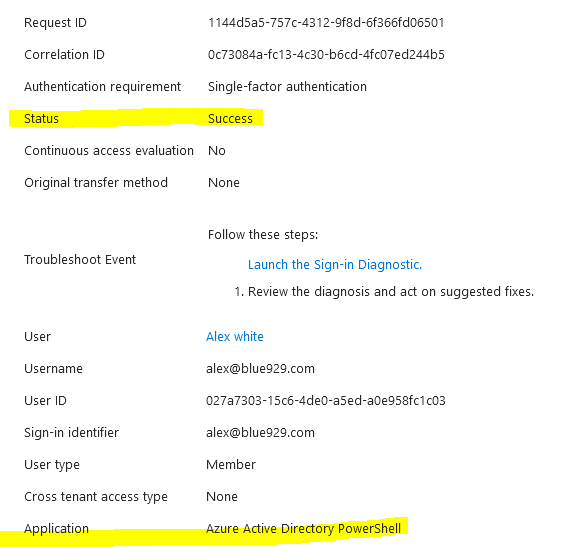
Notes:
1. Another Option to disable Azure powershell access is to use the following command, however, it may present issues with teams and planner when adding new members.
Set-MsolCompanySettings-UsersPermissionToReadOtherUsersEnabled$false
2. Second option is to create a new conditional access and block all cloud apps and exclude Office 365, sso apps, etc… One problem with this approach is specific services might be impacted and cannot be excluded from Conditional access. As a result, I highly recommend implementing MFA for users targeting all cloud apps. The all cloud apps target will target Azure AD powershell application as well.
3. Any other way to block non-admin access from azure portal is to navigate to Entra > Identity > user > User setting and toggle “Yes” under restrict access to Microsoft Entra ID administrator portal, however this is not a security measure that Microsoft recommends. It entails the following:
- It doesn’t restrict access to Microsoft Entra data using PowerShell, Microsoft GraphAPI, or other clients such as Visual Studio.
- It doesn’t restrict access as long as a user is assigned a custom role (or any role).
4. To reduce the attack surface, instead of a block condition – set the grant condition to require hybrid joined devices to prevent unauthorized access from non domain join devices. However, this does not prevent insider reconnaissance
Source
https://learn.microsoft.com/en-us/azure/active-directory/fundamentals/users-default-permissions
https://learn.microsoft.com/en-us/powershell/module/azuread/?view=azureadps-2.0-preview
 Steven’s Knowledge Base