
It is important to block access to corporate resources for device platform that is unknown or not supported. This should be the first line of defense as allowing access to any device platform can be dangerous. Only platforms that will be allowed in this lab are iOS, Android and Windows devices. Any rogue actor that attempts to access internal resources with a different OS will be denied.
Goal: Create policy to only allow device platform supported by the organization.
Block unknown/unsupported device platform
The policy will allow only iOS, Android and windows devices. Any other platform will be denied access to company resources.
To create the policy: Navigate to Intune portal > device > conditional access > policies > new policy.
Name:[Allow iOS_Android_Windows] Block unknown device platform
Assignments:
Users:
Include: All Users
Exclude: Break glass group

Target resources:
Include: All Cloud apps

Conditions:
Device Platforms:
Include- Any device
Exclude- iOS, Android, Windows

Access control:
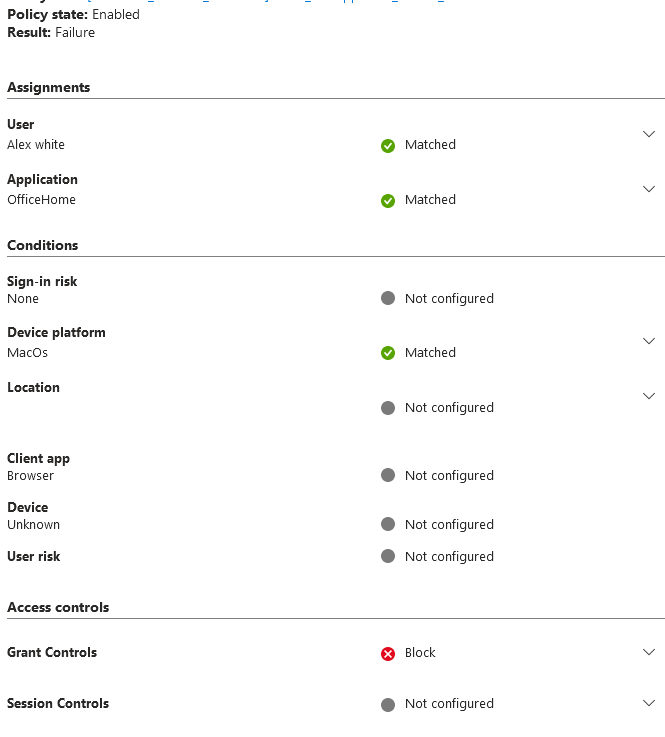
Grant:  Block Access
User experience:
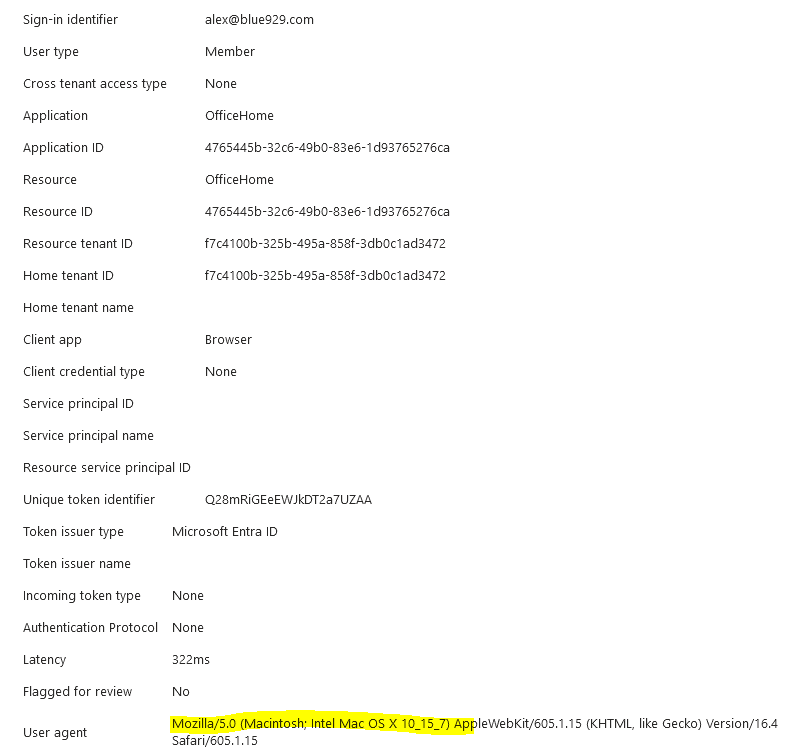
When a user try to access office 365 portal on a MacOS, which is not part of the supported platforms:

Source:
https://www.petervanderwoude.nl/post/block-access-to-all-cloud-apps-for-unsupported-platforms/
 Steven’s Knowledge Base