
The Printer Re-Discovery Method updates known devices with infrequently changing data, like system name, system location, and printer capabilities(duplex, color, etc.). These parameters are not fetched during a status scan.
Rather than re-running a complete Discovery, which interrogates All addresses, the Printer Re-Discovery Method only interrogates those addresses that have an identified printer associated in the database. Known IP and IPX (when applicable) addresses are scanned for printers. In addition to devices covered by the traditional IP/IPX discovery settings, printers added to Centreware Web via Printer Server and Active Directory® enumerations are also included in the Printer Re-Discovery method.
Since the main purpose of this Discovery method is to capture device attributes that change at a slower rate than other attributes, it is recommended that this method be scheduled at an interval that reflects the likelihood of these changes, or that it is run on an as-needed basis to minimize network impact.
Configure Printer Re-Discovery Method:
1. Go to Administration > Discovery > Discovery Methods and select Re Discovery type. (Re-discovery method will scan for known IP printers or any new devices added – there is no need to manually add a range if you already have a discovery method configured before re-discovery)
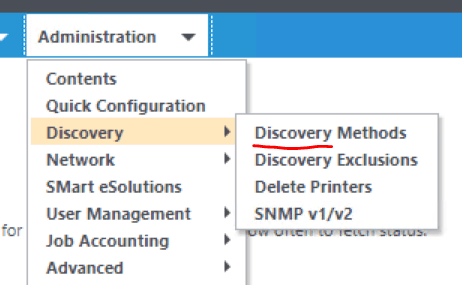
2. Click save and edit the method if necessary
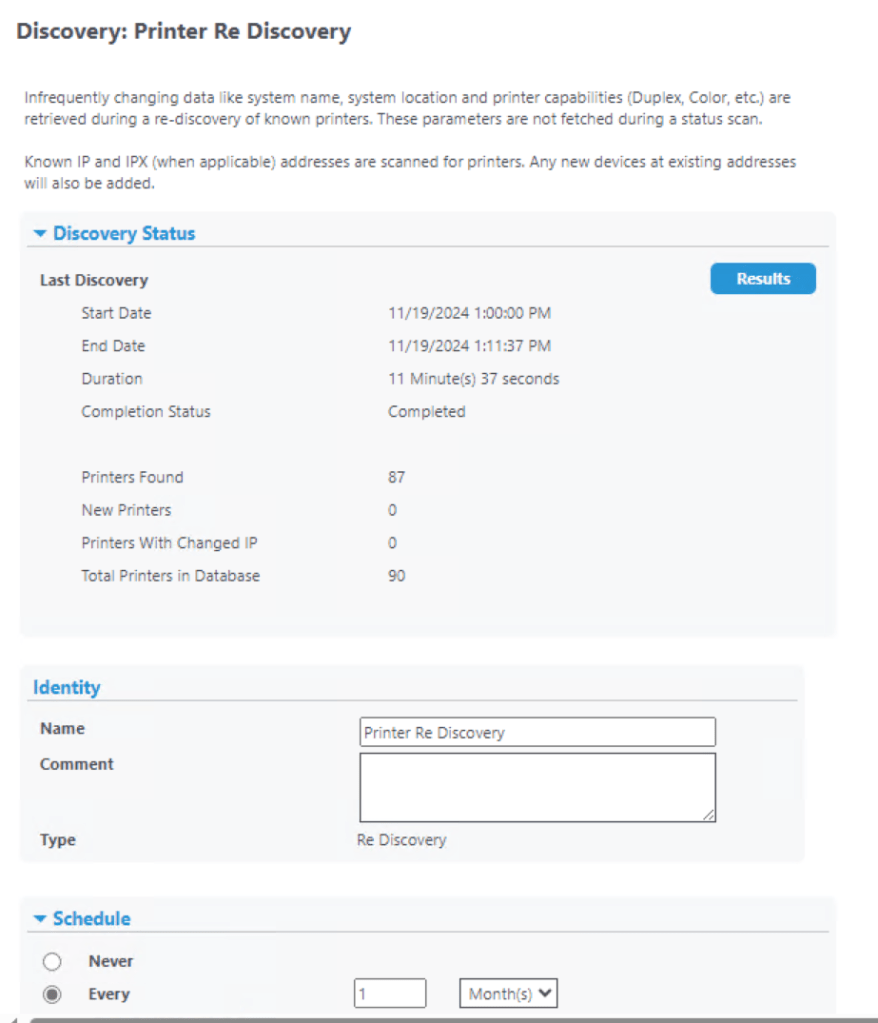
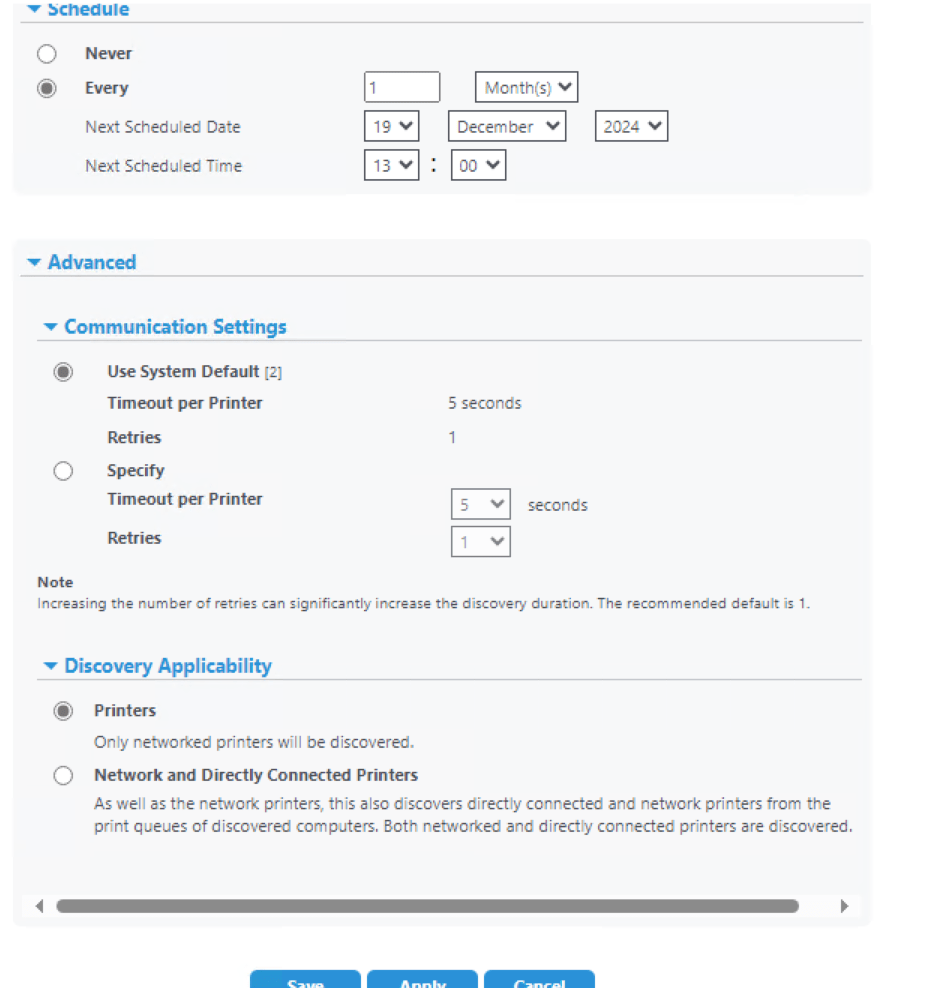
Note: You can only configure one Re-Discovery sweep. If one is already defined, the Printer Re-Discovery selection is unavailable (grayed out). Printers added from AD falls under re-discovery template.
** To modify, select the pencil icon in the currently defined Discoveries list, or, delete the existing Printer Re-Discovery from the list to re-create.
 Steven’s Knowledge Base