
What happens if other admin modified and enable settings which differs from the configuration set? How does IT admin enforce the configuration sets that is created in Xerox Centreware web for the printers?
There are two ways to enforce the policy (Active action):
Method 1:
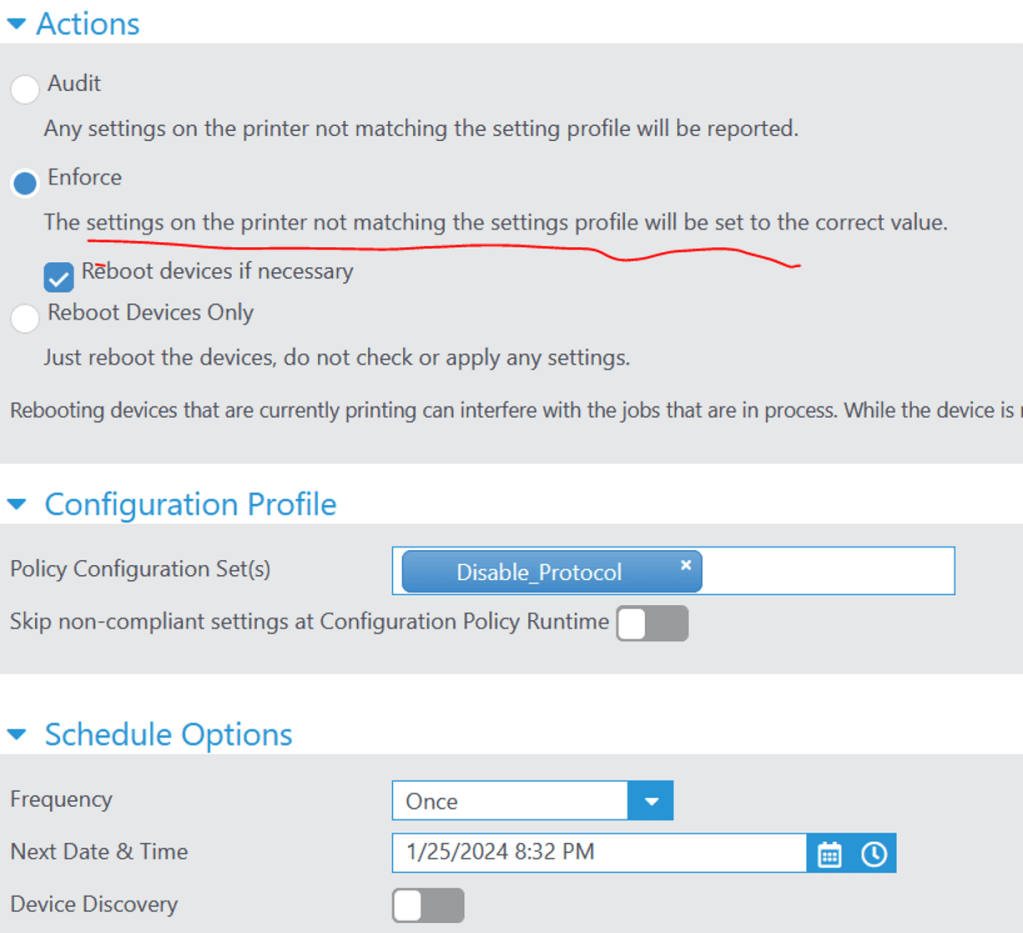
Under policies > configuration > configuration policies > edit policy
Enforce and select a schedule to check per hourly/daily/weekly…
It will check if printer has the correct settings, if it does not, it gets applied.
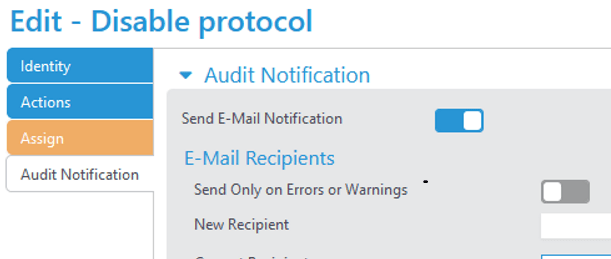
Optional – Admin can get notification if configuration is applied – email will get sent out under Audit Notification
Method 2:
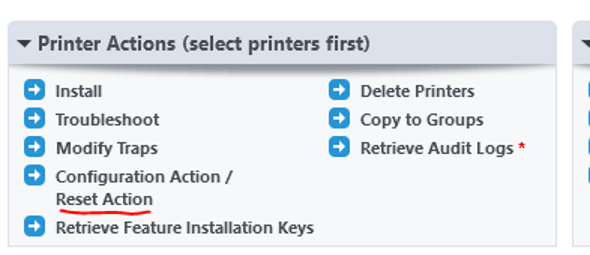
Under printers > Select the printers > configuration action/reset action > Select Audit Check OR Audit & Apply configuration > select a schedule.
- Use the Audit Check to audit devices against defined configurations.
- Use the Audit Check /Apply Configuration to the first audit devices and then to reapply the appropriate configuration.
- Use Reset Devices to schedule a device reboot for devices selected. This does not check or apply configuration settings.

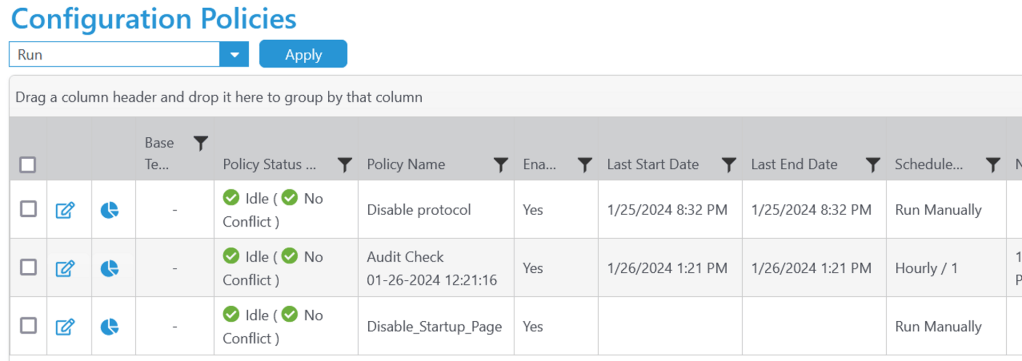
Results: Both methods will create a configuration policy with a schedule to enforce the settings onto the printer.
Device compliance report
Now that IT Admin is able to enforce the policy set, the next step is to gather all the information about the printers and determine if its under compliance with the changes deployed. A score will be given to printer for its compliance with policies from configuration sets, firmware and password policies.
- A score below 100% means some settings are not supported by device resulting in non-compliant state.
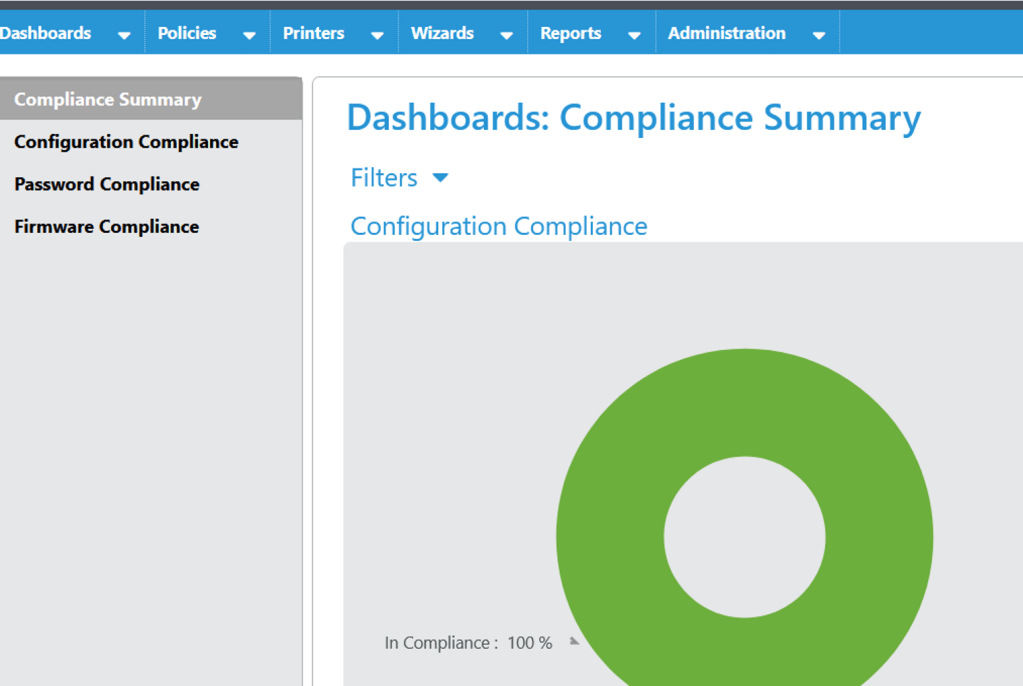
- Recommend going to Dashboard > compliance summary to get a holistic view on compliance.
Policy [Disable Startup] compliance rating = 100% (A printer that supports all the settings deployed will have a green check and be given a 100% compliant rating.)

Policies [Disable Protocol] compliance rate= 38% (A printer that does not support some of the settings deployed will have an orange icon with less than 100% rating.)
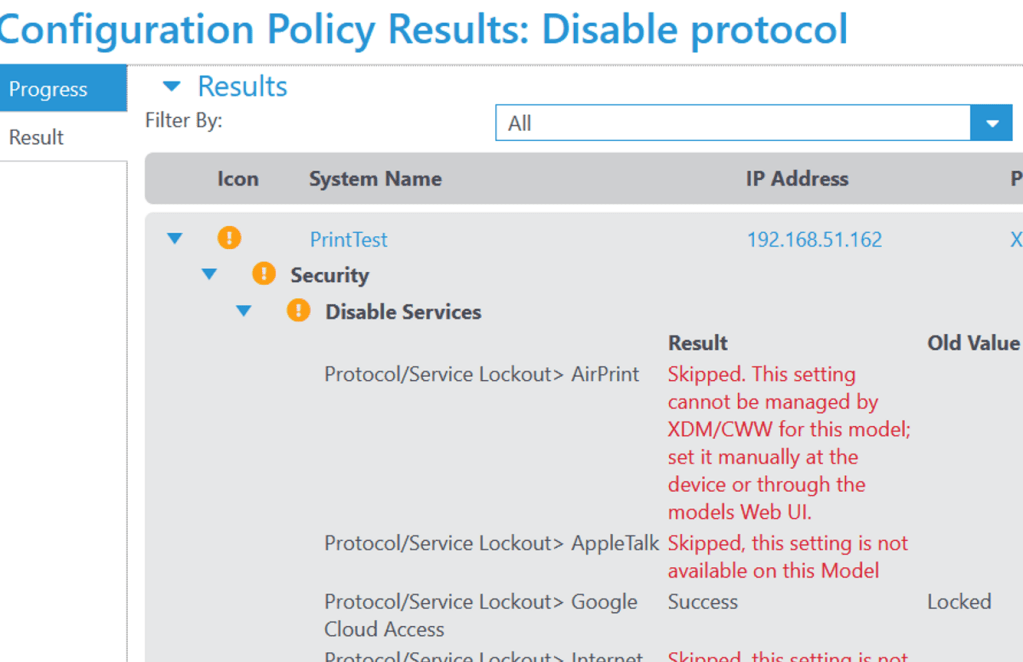
Printer [PrintTest] total compliance rating average = 33% (If a policy gets deleted- the rating is readjusted)


To correct the compliance rating (if device does not support the configuration settings):
Go to Printers > Printer action > configuration action/audit > Run audit check with “Skip non-compliant settings” checked

Results: Dashboard > compliance summary
The device compliance summary should be more accurate now
 Steven’s Knowledge Base