
There are times when only specific departments require a specific application for their users. The post will show Admin how to include optional installs for litetouch wizard. It includes option on which application they want to install before imaging starts for device.
Set up optional application install:
1. Under deployment share > Task sequence > new sequence > custom task sequence.
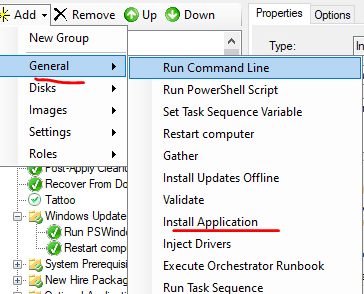
2. Add new step > general > Install application.
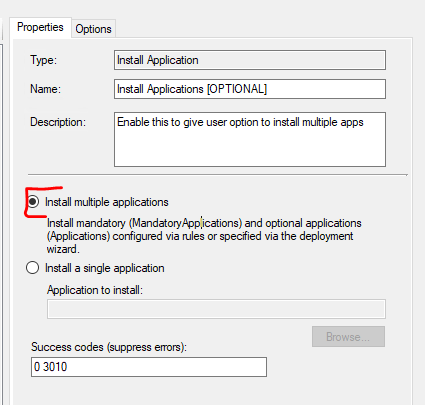
3. Select “Install multiple application”
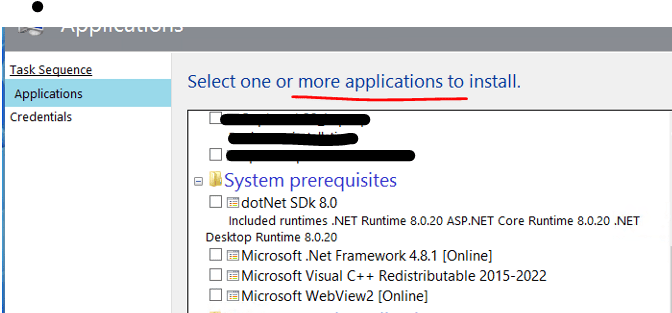
Verification:
Test out the task sequence and you will see this option as long as there are existing apps under applications folder and its enabled.
 Steven’s Knowledge Base