
What if preference for scripting is not powershell but .BAT files. If Admin wants to execute bat to display simple message or app install, this post should help.
The lab has .bat files contain in the following folder:
\\MDT\DeploymentShare$\Scripts\Batch_Script
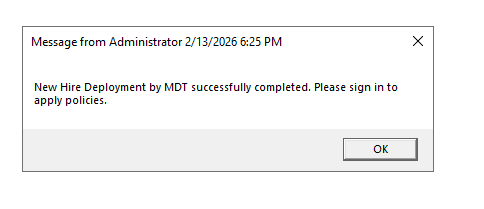
This post will implement a .bat file to display a message once re imaging is complete.
Use .BAT script for task sequence
1. Under deployment share > Task sequence > new sequence > custom task sequence.
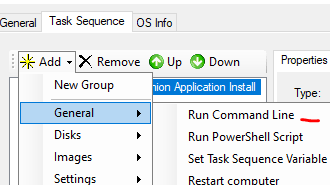
2. Add new step > general > run command line.
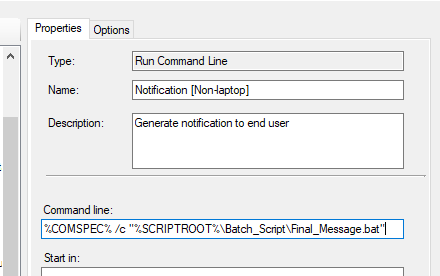
3. Insert the following string:
%COMSPEC% /c “%SCRIPTROOT%\Batch_Script\Final_Message.bat”
Verification:
 Steven’s Knowledge Base