In the previous post, the following was utilized:
- Choice column
- Lookup column
- Single text column
- Conditional branching
Summary:
For the front end portion of the on boarding process, the above column including [Data and time] will be used. There are no need for any other type of columns as we want to avoid over complicating things.
Details for the lab environment:
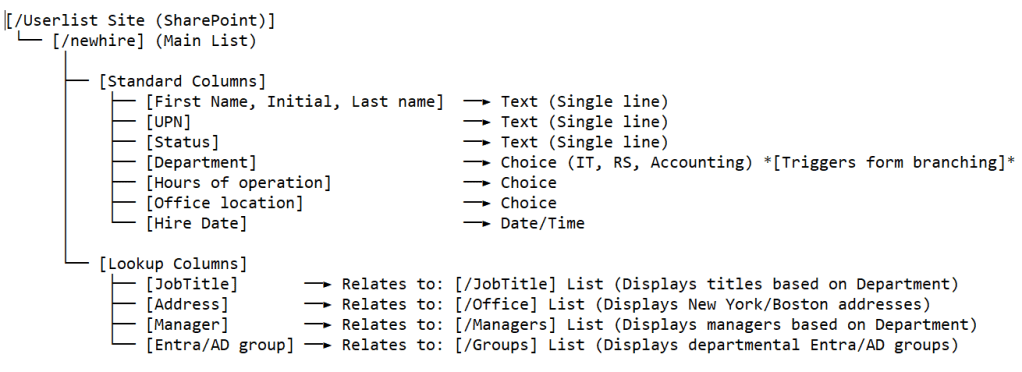
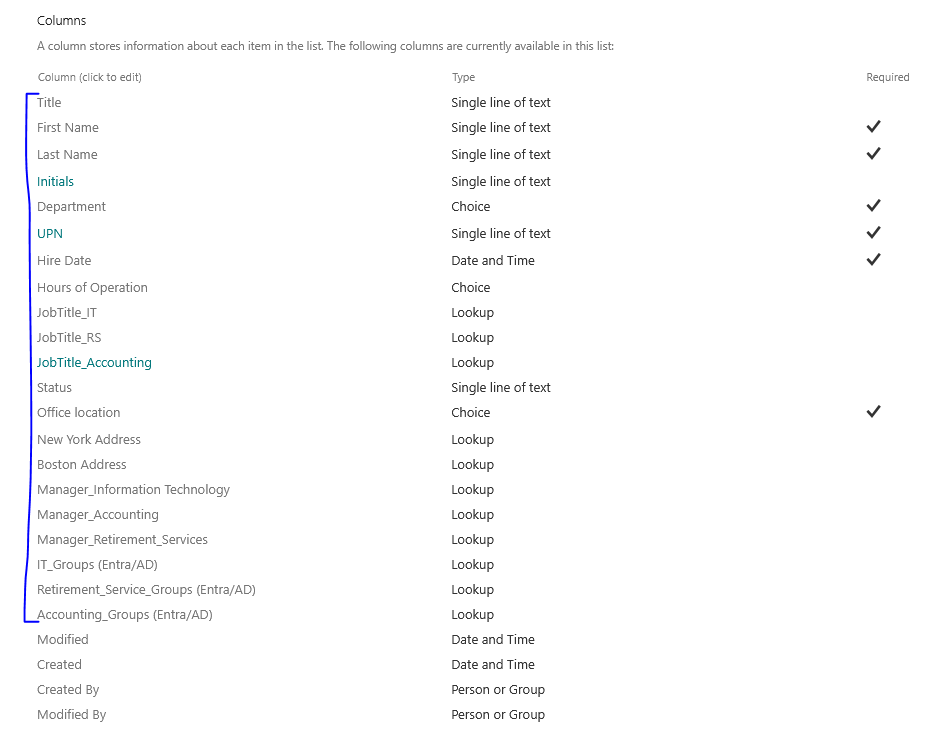
The entire [NewHire] form includes the following columns:
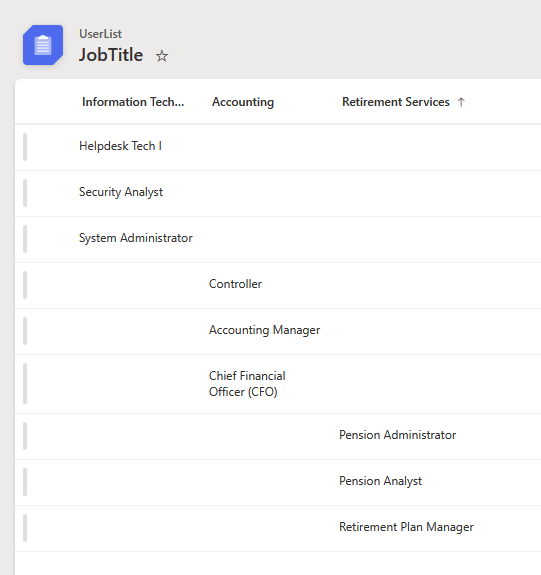
Lookup column reference:
- [JobTitle_IT/RS/Accounting] columns on main list [NewHire] refers to the following list [JobTitle]
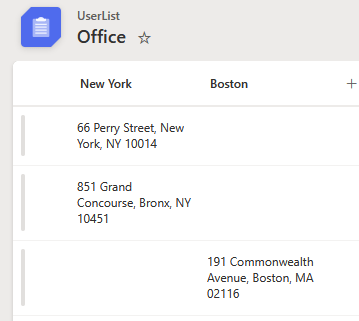
2. [New York/Boston Address] column on main list [NewHire] refers to the following list [Office]
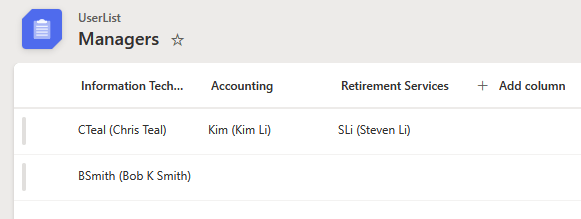
3. [Manager_IT/Accounting/Retirement Service] columns on the main list [NewHire] refers to the following list [Managers]
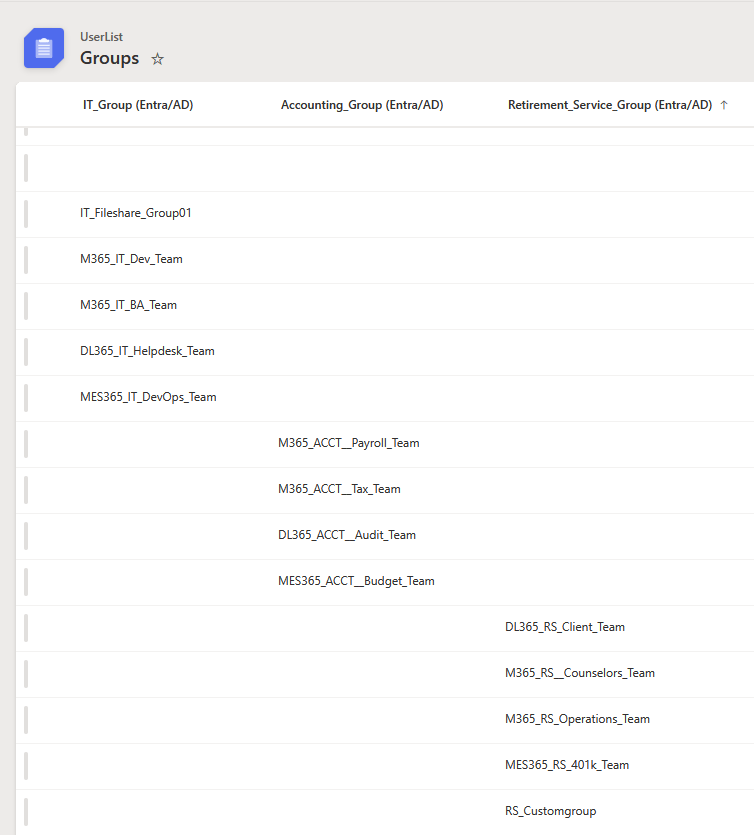
4. [Entra/AD group] columns on main list [NewHire] refers to the following list [Groups]
- M365 – for Microsoft 365 groups
- DL365 – for Distribution list group
- MES365 – for mail enabled security group
Result
Once all the columns are set, the main list [NewHire] will look like this:

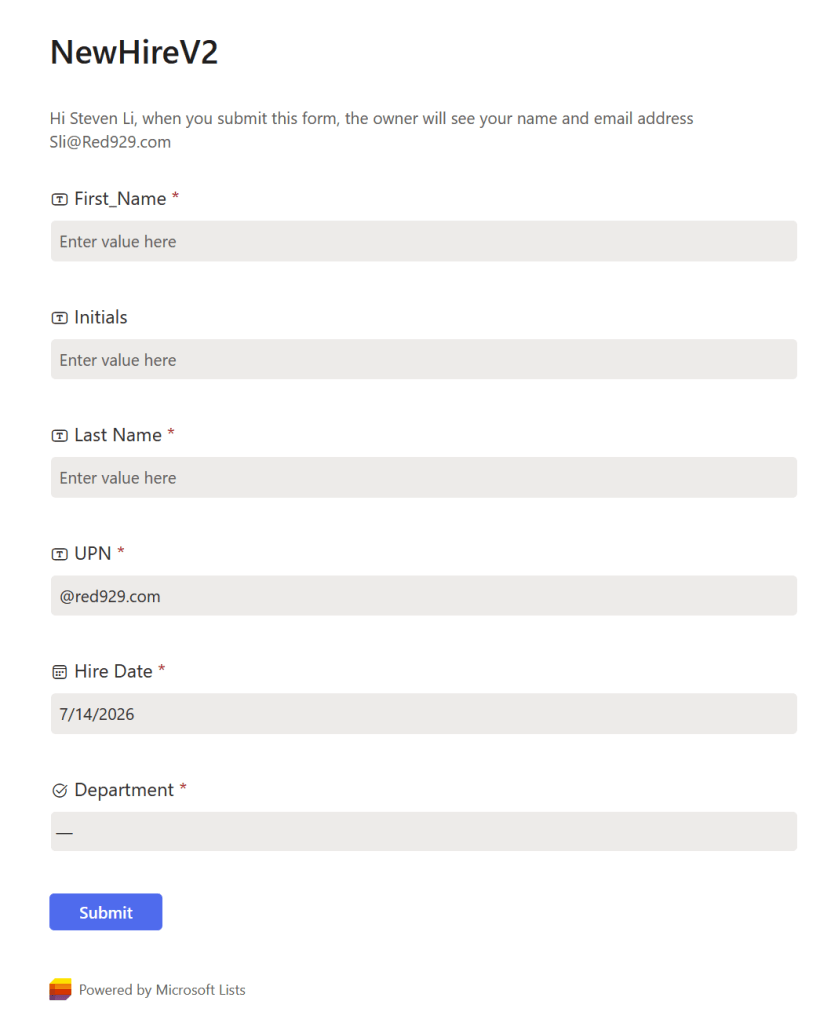
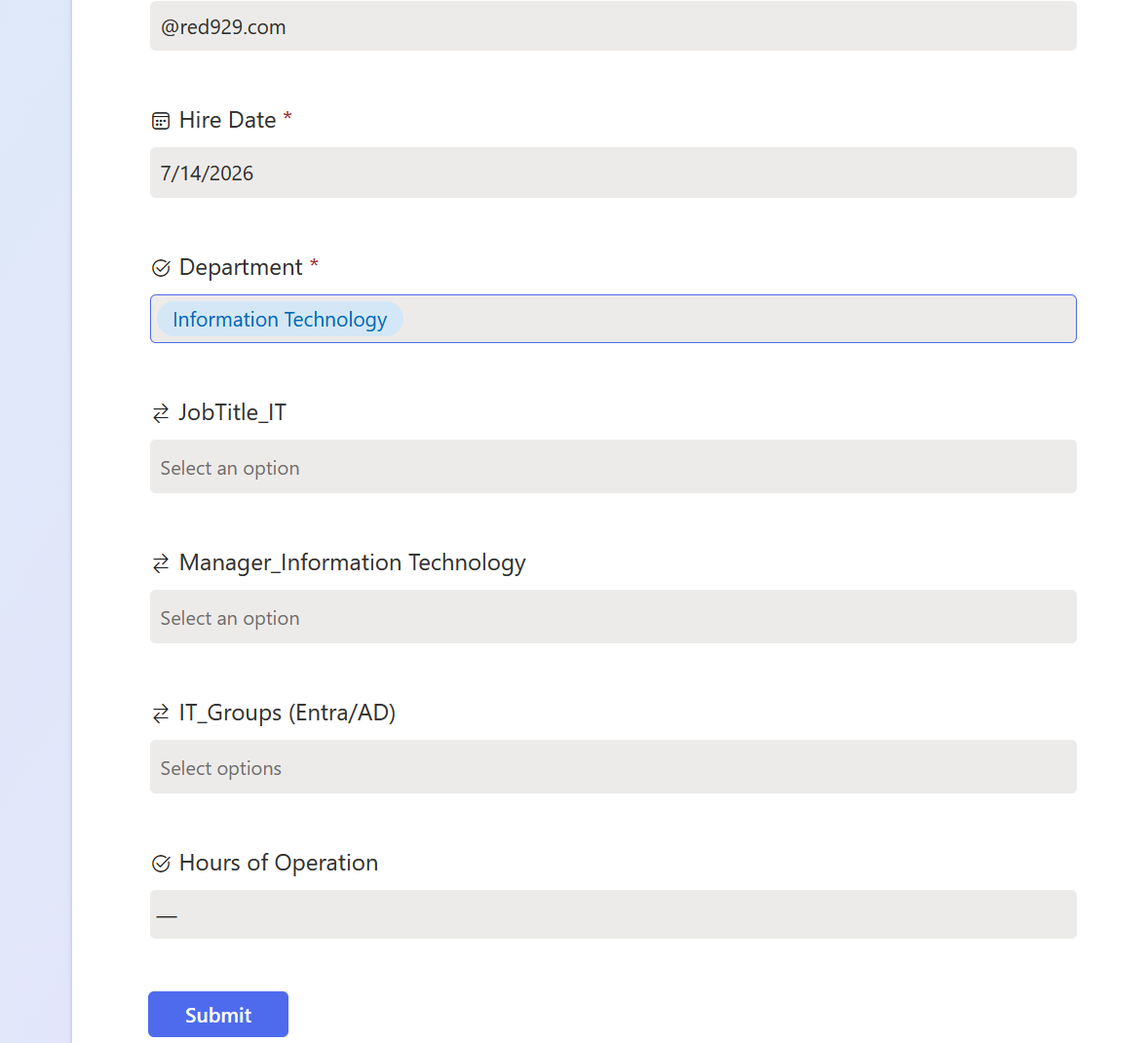
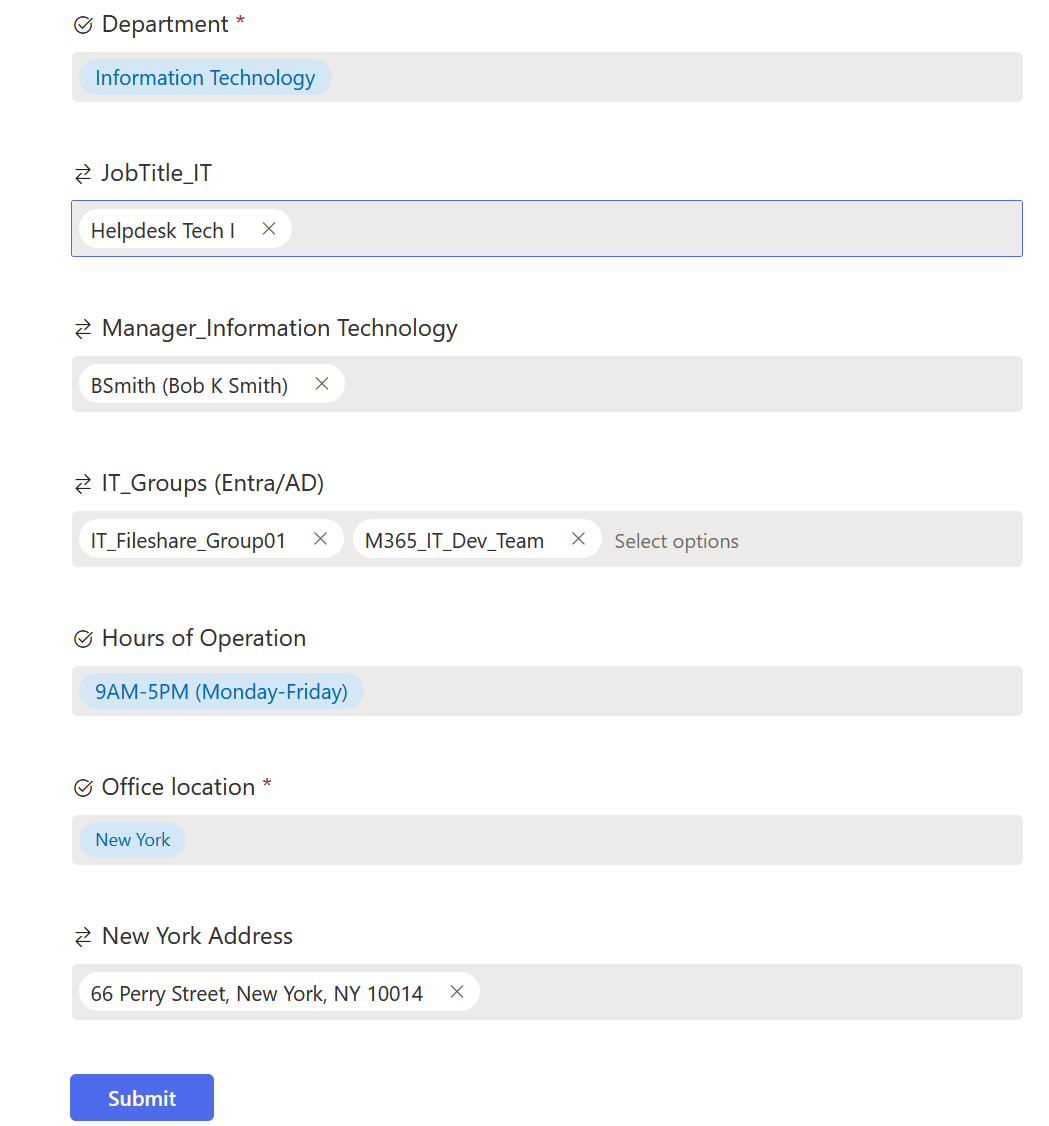
The following form will show:
First / Middle / Last Name: Maps directly to standard Active Directory naming attributes.

User Principal Name (UPN): Left as a manual input field to ensure maximum flexibility across different organizations. While this can easily be automated to follow a specific naming convention (e.g., firstinitial.lastname@domain.com), keeping it manual allows the form to accommodate non-standard formats, legacy structures, or unique naming exceptions.

Hire Date: Collected to populate custom AD extension attributes, allowing downstream automation or HR systems to parse and utilize the values. (Optional)

Department (Required): A critical orchestration field. Utilizing conditional branching, selecting a department automatically filters and populates the Job Title, Manager, and Group Membership dropdowns with options unique to that specific business unit.

Hours of Operation: Used to configure AD user logon hour restrictions if the organization enforces windows logon restriction policies. (Optional)

Office Location & Address: Maps to attributes within Active Directory. (Optional)