In computer science and software engineering, a runtime environment (also called an execution environment) is the software infrastructure and state in which a program or script executes. It provides the necessary underlying services, libraries, and hardware abstractions that code requires to run.
In Azure Automation runbook, only two languages are supported, Powershell and Python. They both have their own distinct environment to execute code on. It is important to test and deploy new runtime environment to make sure commands don’t break and keep align with security updates and bug fixes.
The goal of this post is to keep the runtime environment current in case it is out of date.
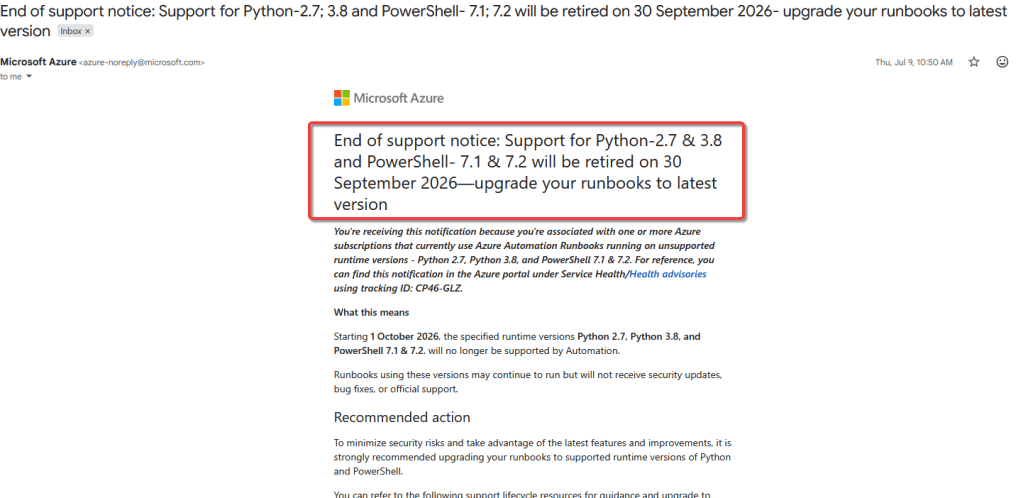
Microsoft will most likely email Admin regarding runtime end of support
How to change the runtime version:
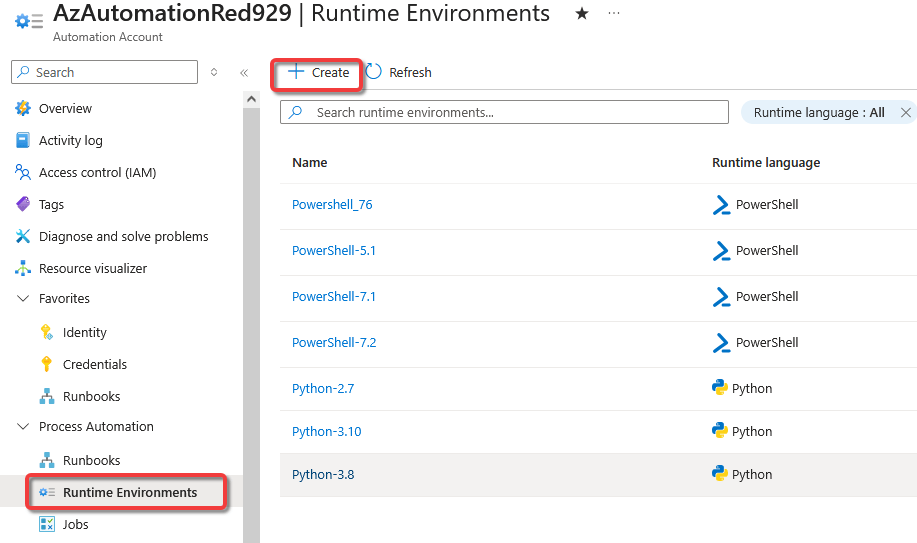
Navigate to azure automation > select account > process automation > runtime environment > create
** If there is no runtime environment, switch to preview the new user interface. **
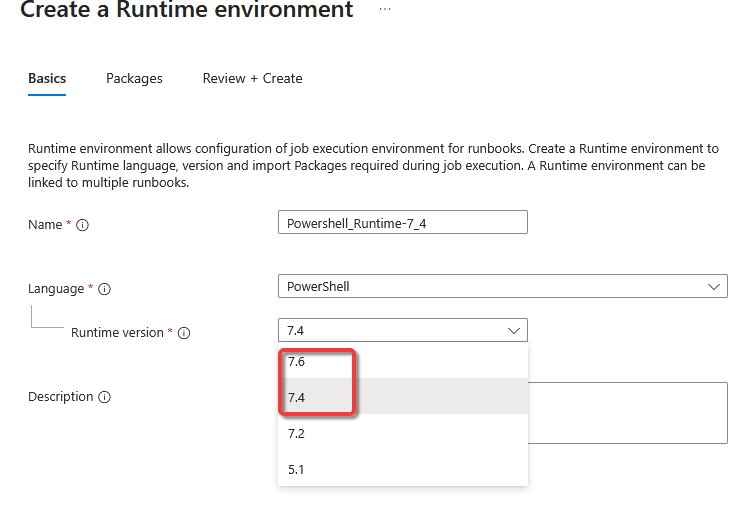
Since powershell runtime 7.1 and 7.2 will retire, we can establish a 7.4 environment instead.
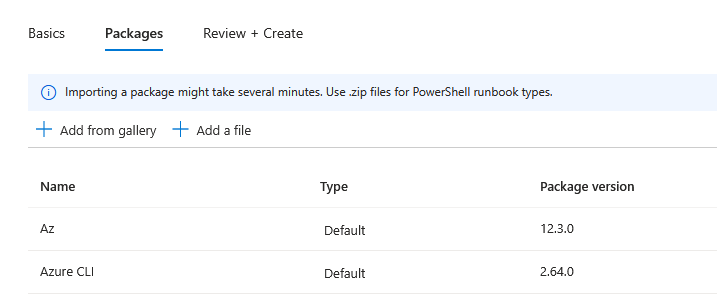
Add any additional packages/modules for the runtime. A good additional would be ms graph packages if the scripts uses it.
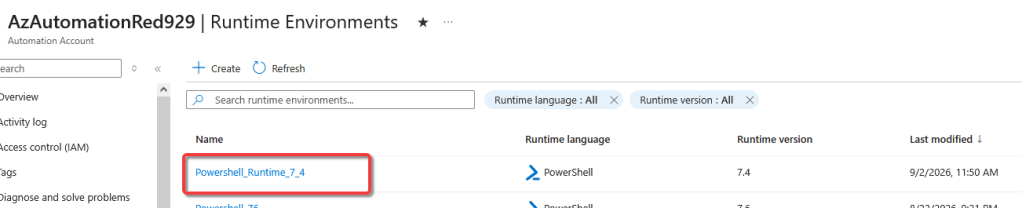
Verify that the runtime environment has been established.
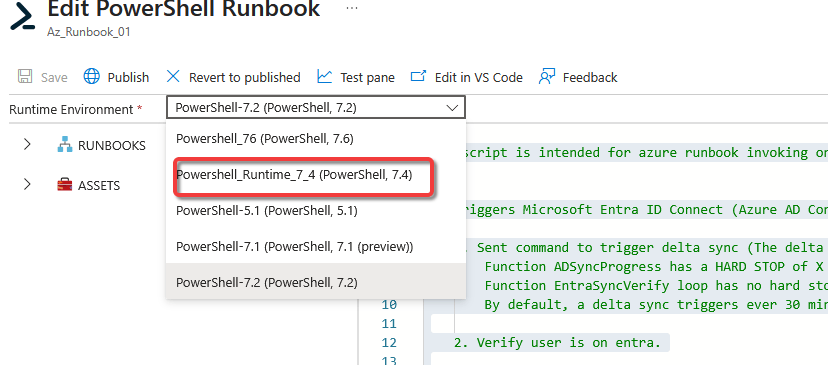
Now we configure this new environment for the runbook:
1. Select runbook > edit > change the runtime environment > run it in test pane first before publish to finalize change. Highly recommend to test it first before updating.
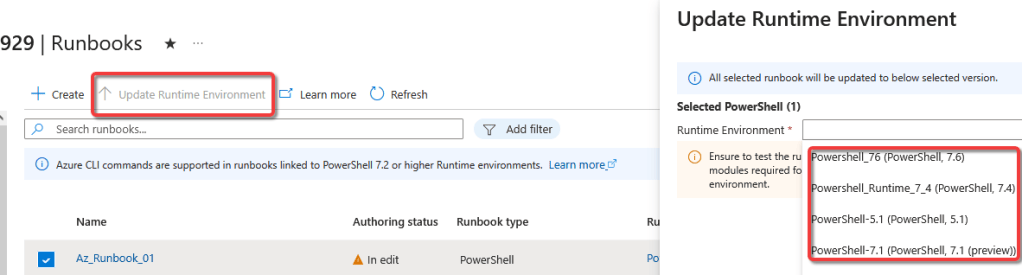
2. Another way to update the environment is to select the runbook then select “Update Runtime Environment”