
The Data Operations actions in Azure Logic Apps provide built-in capabilities to manipulate, convert, and format data arrays and objects without requiring external code or scripts. For new hire project – [Parse Json] and [Compose] will be commonly used to grab string from an output then manipulate it with either compose or other actions.
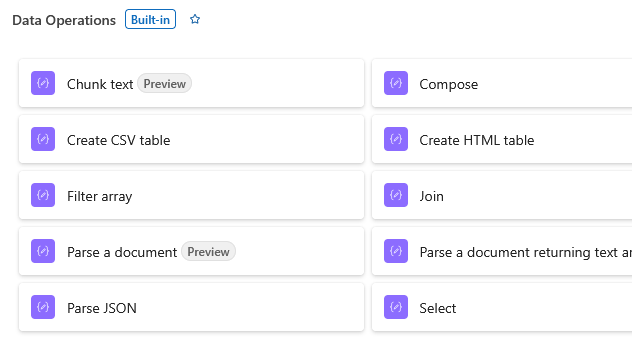
Compose: Creates a single custom output (string, JSON object, array, or dynamic content) from complex expressions or multiple variables to reuse across subsequent workflow steps.
Create CSV Table: Converts an array of JSON objects into a comma-separated value (CSV) table. Allows selecting specific attributes to include as columns.
Create HTML Table: Converts an array of JSON objects into a formatted HTML table for rendering in email bodies or web reports.
Filter Array: Filters an input array based on specific conditions or logical criteria, returning a smaller array that matches the filter rules.
Join: Takes an array of items and combines all elements into a single continuous string using a specified delimiter (e.g., ,, ;, or \n).
Parse JSON: Evaluates a raw JSON string against a defined JSON Schema, creating dynamic properties that can easily be picked from the workflow designer interface.
Select: Transforms an array of objects by picking, renaming, or reshaping specific properties into a new key-value format.
Core Use Cases & Benefits

No-Code Data Manipulation: Enables filtering lists, generating reports, and restructuring API payloads entirely inside the Logic App runtime.

Performance Optimization: Built-in data operations execute in-memory inside the Logic Apps engine, avoiding expensive external API calls or loops (Apply to each).

Schema Validation: The Parse JSON action validates payload structures at runtime, making error handling and downstream data extraction more reliable.

