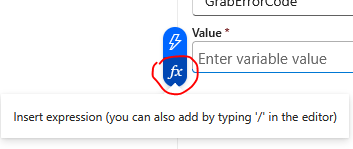
In logic app variable actions, there are ways to manipulate values using functions and dynamic content. For the new hire project, some output need to be split or join to generate a final output for workflow process. This article will provide a general overview of functions and dynamic content. Admin can access the GUI via value field, click insert expression.
Logic app Functions:
Azure Logic Apps provides a comprehensive set of built-in functions via the Workflow Definition Language (WDL) to transform data, evaluate conditions, perform calculations, and inspect runtime workflows.
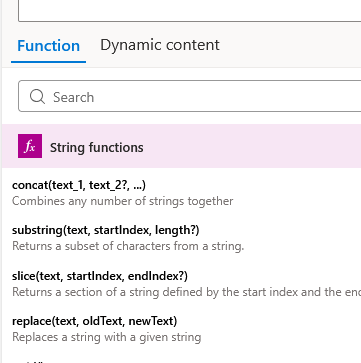
String Functions: Manipulate, split, format, and search text strings.
Common functions: concat, split, substring, replace, toLower, toUpper, trim, length, guid, indexOf, slice.

Collection Functions: Process, iterate, and transform arrays, objects, and strings.
Common functions: first, last, item, items, join, contains, empty, length, intersection, union, skip, take, sort, reverse.

Logical Comparison Functions: Evaluate expressions in conditional statements to return true or false outcomes.
Common functions: equals, and, or, not, if, greater, greaterOrEquals, less, lessOrEquals.

Conversion Functions: Cast data between different formats and data types (e.g., string to integer, JSON to XML, base64 encoding/decoding).
Common functions: string, int, float, bool, json, xml, array, base64, base64ToString, binary, dataUri.

Date and Time Functions: Parse, calculate, reformat, and convert timestamps across time zones.
Common functions: utcNow, addDays, addHours, addMinutes, formatDateTime, startOfDay, ticks, convertTimeZone, getFutureTime, getPastTime.

Math Functions: Perform arithmetic operations on integers and floating-point values.
Common functions: add, sub, mul, div, mod, min, max, rand.

Workflow & Action Functions: Retrieve runtime context, output payloads, parameters, and environment variables from preceding triggers or actions.
Common functions: triggerBody, triggerOutputs, body, outputs, action, parameters, variables, workflow.

URI & Utility Functions: Parse, encode, or handle structured XML/URL components.
Common functions: uriComponent, uriComponentToString, coalesce, xpath.
Example:
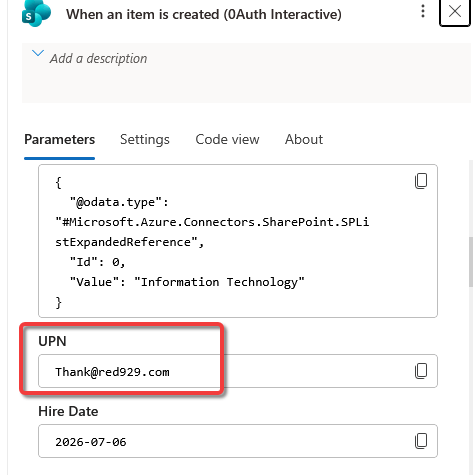
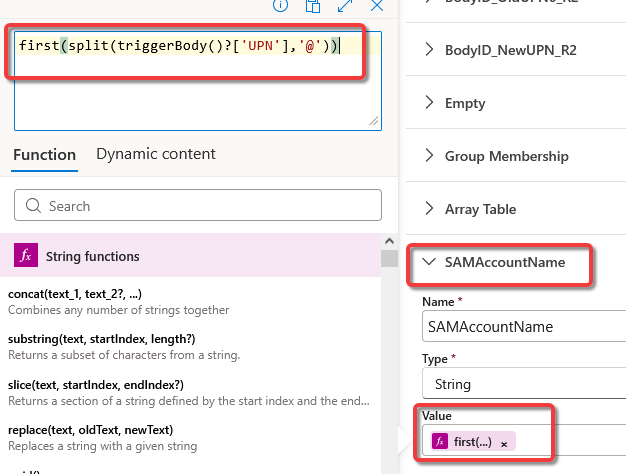
The example removes the “@domain” portion from an email or User Principal Name (UPN) string in Azure Logic Apps by using the split() and first() functions in a workflow expression.
The expression first(split(triggerBody()?['UPN'],'@')) extracts the username portion of an email address prior to the "@” symbol.
Output:
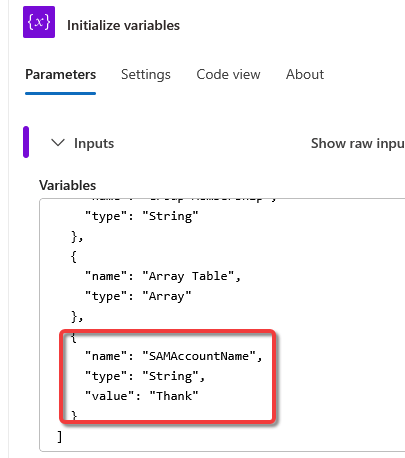
Once the first string is split, the value “Thank” will be under the variable [SAMAccountName], which will be used later in workflow.
Logic App Dynamic Content:
Dynamic Content in Azure Logic Apps represents outputs produced by preceding triggers or actions that can be passed as inputs into the workflow. They are basically the GUI buttons that you see when you select a parameter or value field. Access the dynamic content by select “Thunderbolt” symbol or type in “/” under the field.
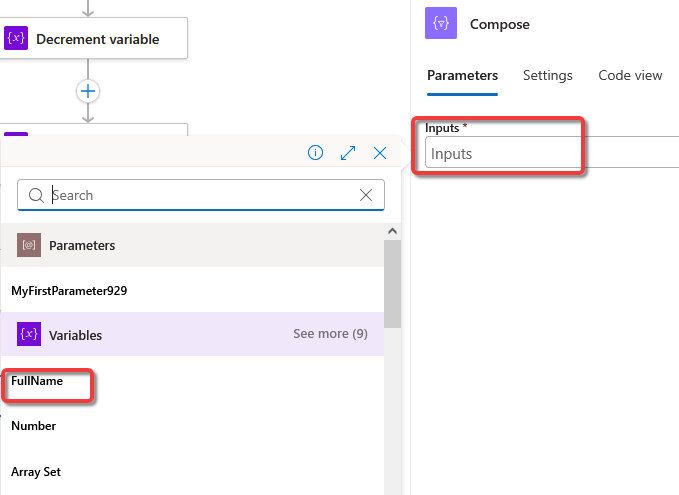
Example: The workflow has multiple variables declared.
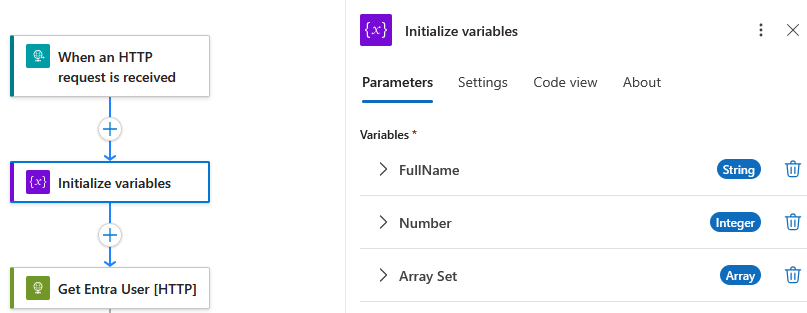
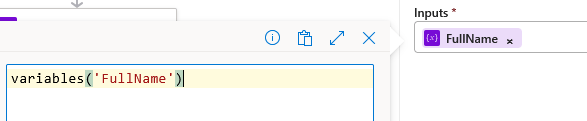
Since the “FullName” variable has been declared, we will use that value in the next action [Compose] by selecting it via button. Sometimes, dynamic content does not show up so run the workflow at least once for it to update/sync with the workflow.