In logic app, Null values represent the complete absence of value or an uninitialized reference, whereas an empty string ("") is an actual, initialized string instance that simply contains zero characters.
Think of a null value as a vacuum or an unassigned variable point, while an empty string is a physical container or box that happens to be empty. Its important to know the distinction when dealing with different logic app connectors since the outcome varies depending on what is accepted for the actions parameters.
For example, the new user provision project requires the use of accepting first name, initials and last name to be passed to azure runbook via the Azure automation connector. Both first and last name are mandatory parameters but initials is optional. With initials being an optional field, this presents a potential problem since Azure runbook will fail to process null values properly via connector.
(** It does process null value without issue IF values are manually entered from Azure runbook portal instead of logic app, however, this post will detail the limitation on logic app side)
Example:
When there is no input for the “Initial” parameter, Logic app azure automation connector seem to be passing null values into runbook that is not recognized and results in job failing.
Azure automation connector – Action [Create Job]:
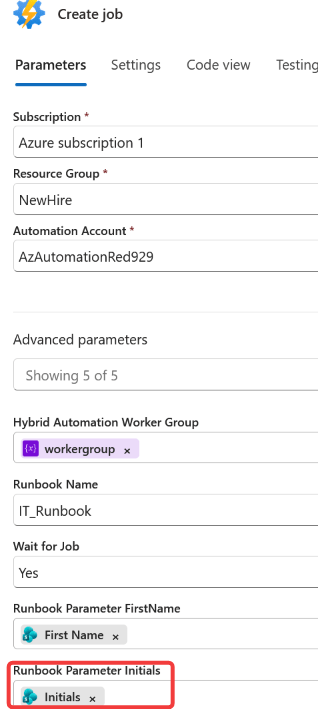
Outcome when there is no input for the “Initials” parameter – the action Status will keep failing every time the “Initials” parameter is EMPTY:
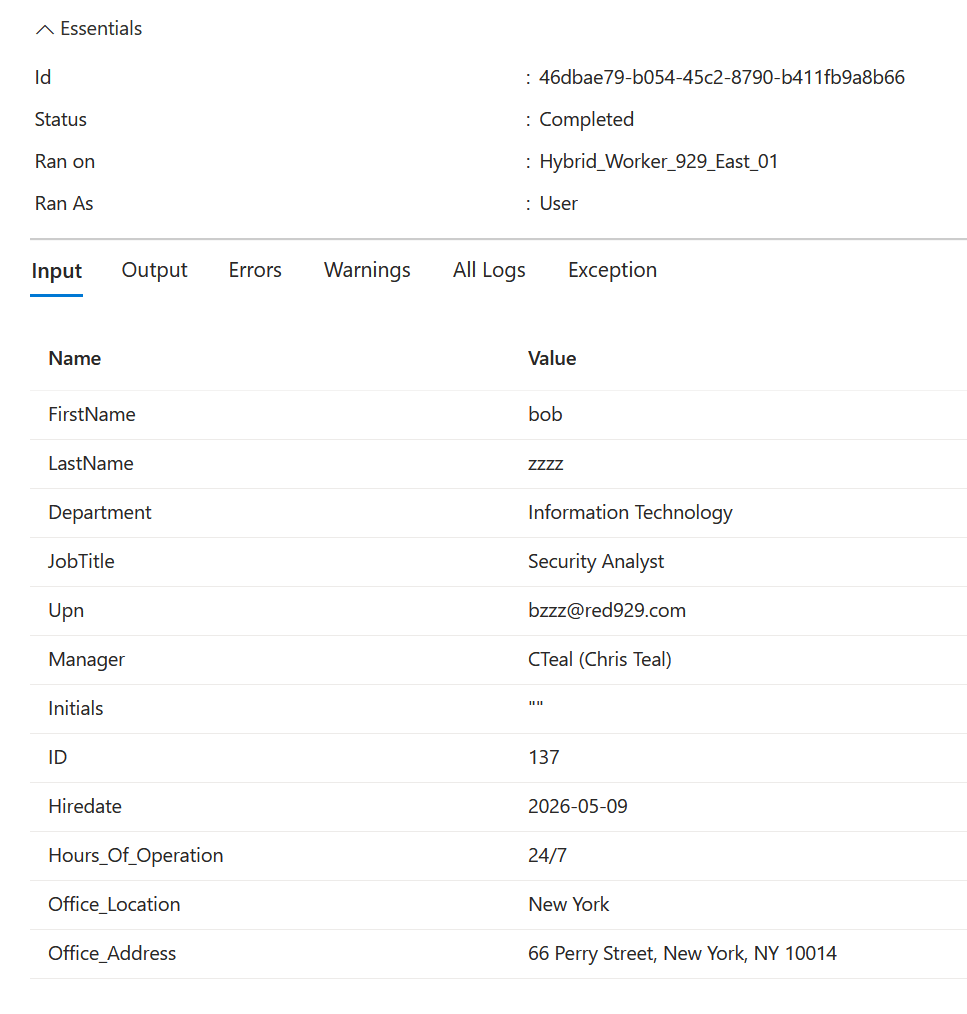
From Logic app:
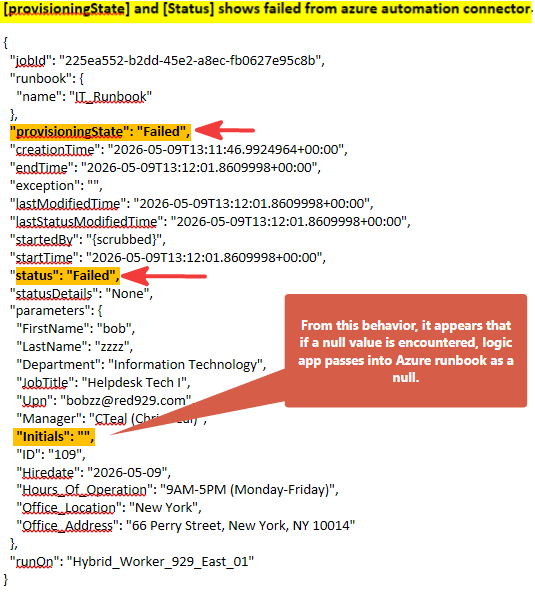
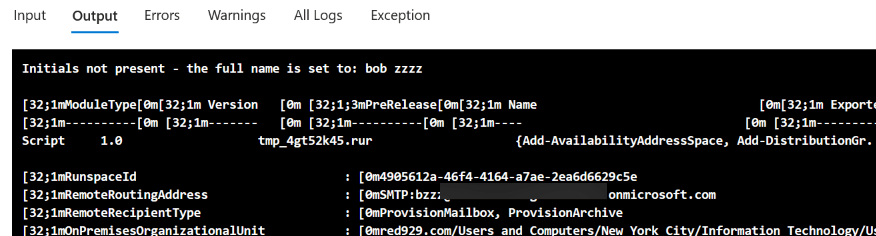
From Azure Runbook side: (Job fails with no output)
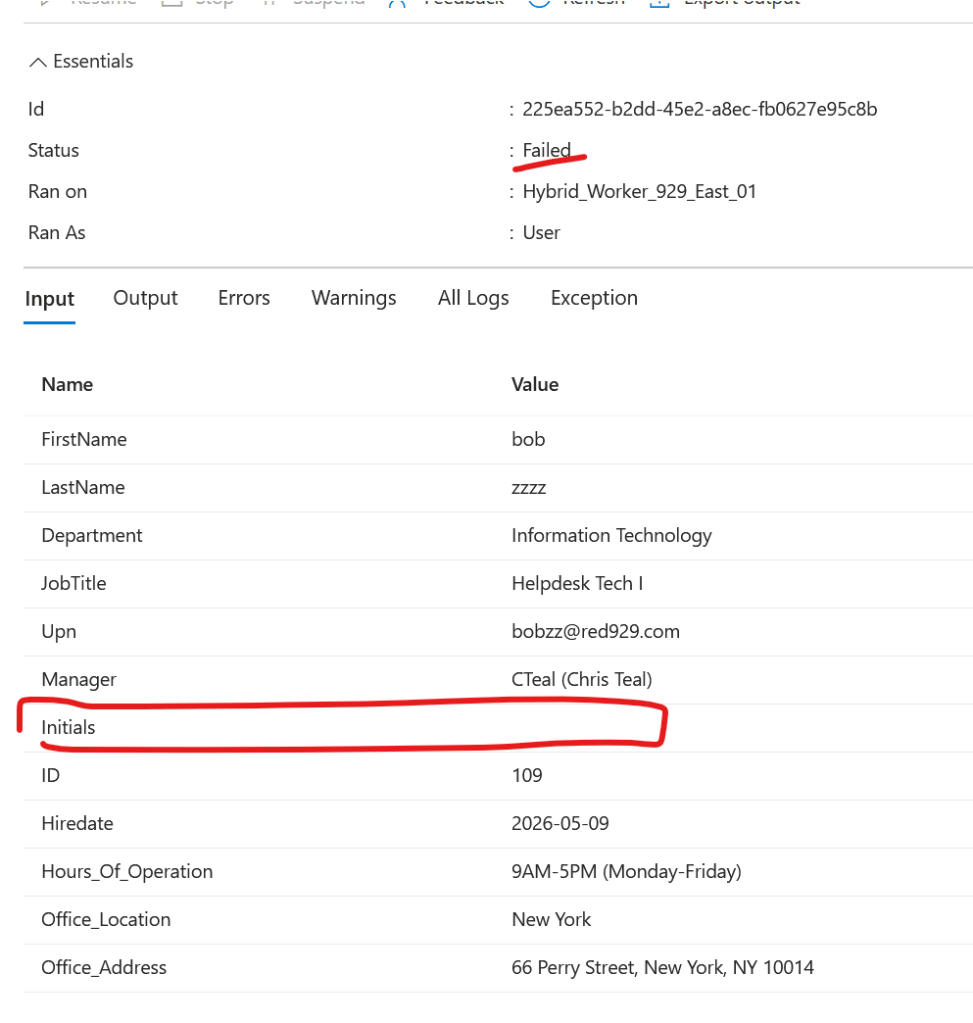


According to article – https://learn.microsoft.com/en-us/azure/automation/runbook-input-parameters

The empty string being passed from logic app to Azure runbook will actually result in job fail. So how does one get azure runbook to run successfully if there is no input for the optional parameter?
The resolution is to use the coalesce function.
Function [coalesce ]
• Since the workflow starts by passing the value from sharepoint list > logic app custom connector (Azure automation) > Azure runbook, we want to prevent passing on null values from logic app first. To do this declare the value via coalesce.

○ Coalesce() expression is a lifesaver for handling null values that frequently occur when data is missing from a connector (like a blank SQL column, an empty SharePoint field, or an optional JSON property)

○ If you pass a null value into a later action (like a "Send Email" or "Compose" step), the Logic App can fail with a BadRequest or NullReference error. coalesce() prevents this.

○ Coalesce expression takes multiple arguments and returns the first one that is not null. It evaluates a list of arguments from left to right and returns the first non-null value. It is primarily used to prevent workflows from failing when optional parameters, dynamic content, or API outputs return null.
For “Initials” parameter (Optional parameter):
By using coalesce, the goal of the expression written below is to use empty string " " as a fallback when a null value is encountered for the body of initials. Inside the single quote ' ', contains double quotes "", which are injected in place of null values.

**From the gui of function block - it shows "\" instead, it means the same as the expression written here

** Make sure there is no empty spaces in the declared Coalesce function **


coalesce(triggerBody()?['Initials'],' "" ')
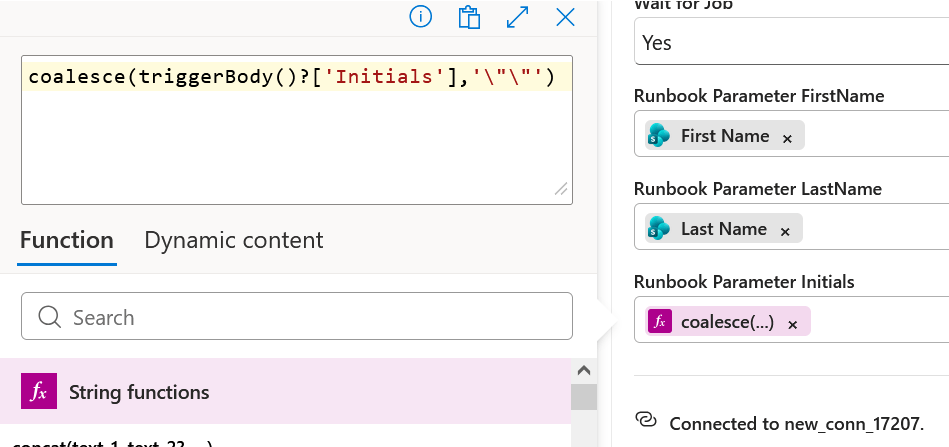
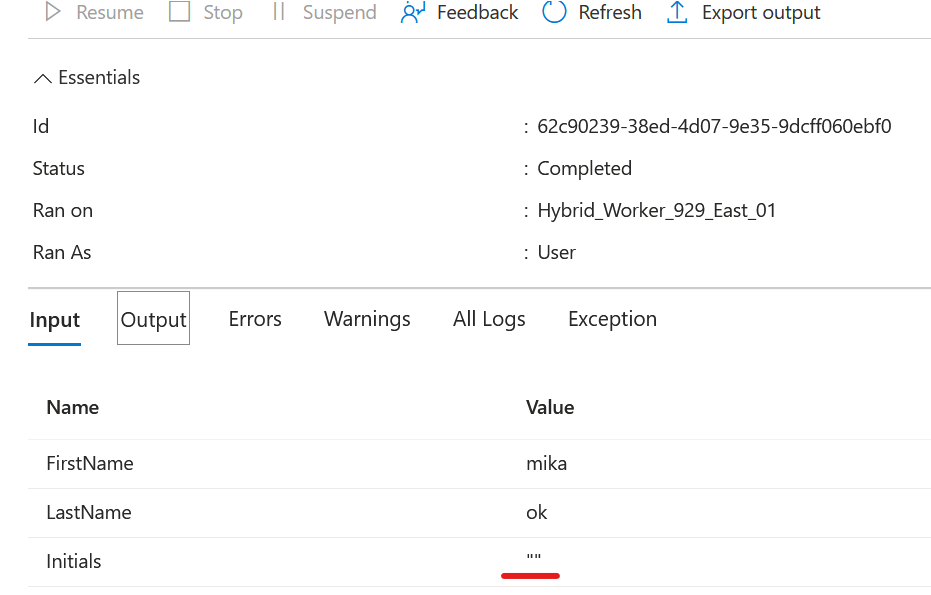
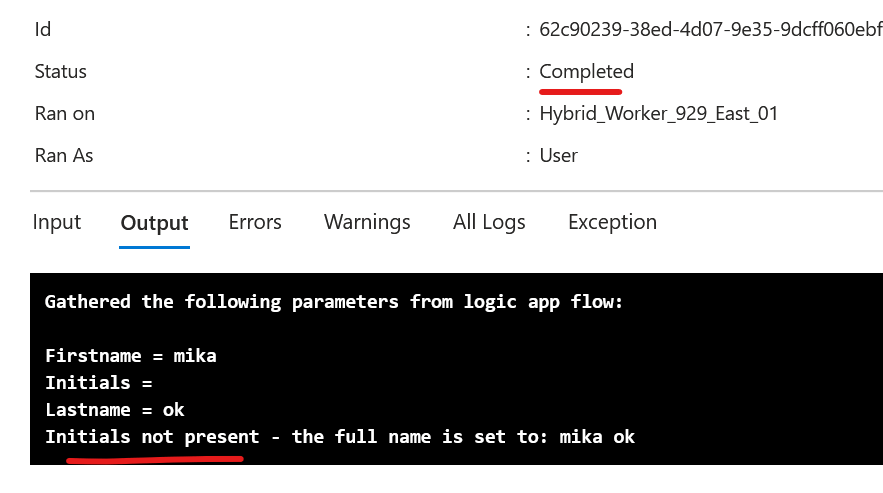
Azure automation raw output results after using coalesce:
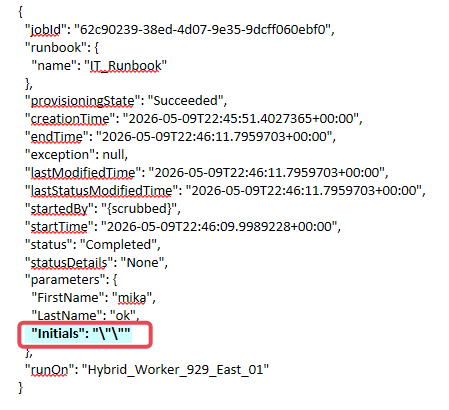
Runbook accepted parameters from logic app: (The Empty string injected from coalesce function works successfully)