
Azure Runbook modules intended for PowerShell or Python runtime that you can import and use within your Azure Automation Runbooks to automate tasks. These modules are built-in or custom libraries of cmdlets (PowerShell) or functions (Python) that extend the functionality of your runbooks, allowing you to automate a variety of tasks across Azure resources and beyond.
Types of Azure Runbook Modules:
- Built-in Azure Modules:
These are pre-installed modules that come with Azure Automation and are ready to use in your runbooks. These modules provide a range of cmdlets for managing Azure resources, such as virtual machines, storage, networking, and more. - Custom Modules:
You can also create and import your own custom PowerShell or Python modules into Azure Automation. These can be either public modules from the PowerShell Gallery or private, custom scripts that you have created for your organization. - Hybrid Runbook Worker Modules:
When you’re using a Hybrid Runbook Worker (to run automation tasks on your on-premises machines), you may need additional modules that are installed on the on-premises server.
Adding Module to Runtime Environment
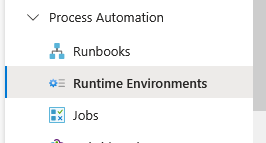
For the updated user interface > go to Runtime Environments > select the runtime version >
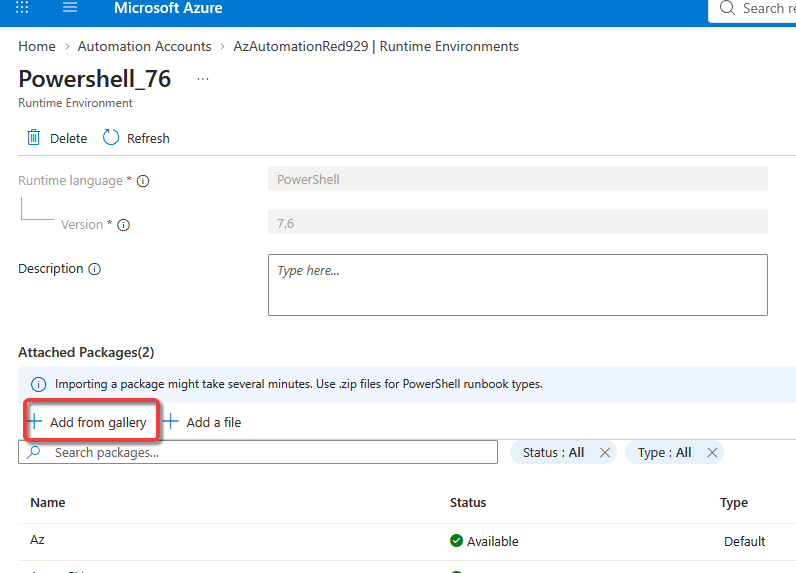
Select add from gallery and select the custom module
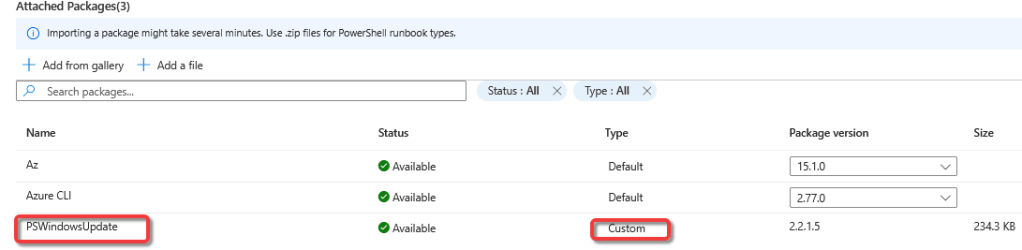
Built in Modules:
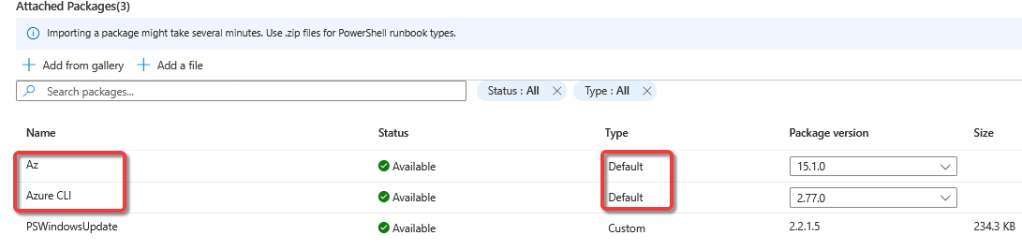
Custom Modules:
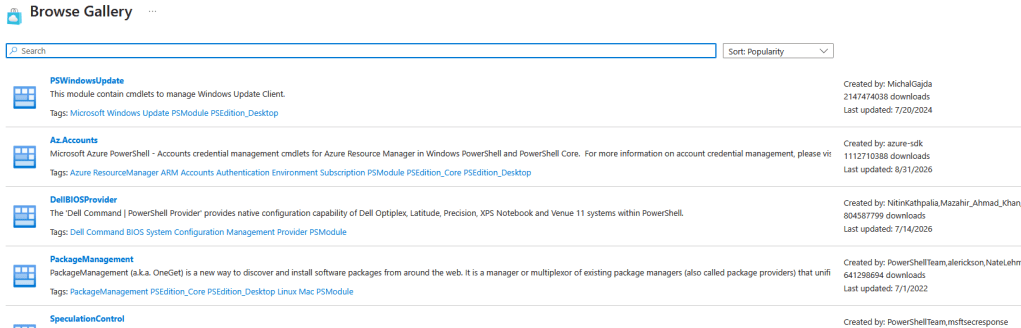
Select a module and it will start to import into the runtime environment


One thought on “Azure Automation Account – Modules”