
The following post details a workflow that is part of the new hire project to obtain the groups that are submitted via share point list. Once those values are obtained, pass it through azure automation parameters into run book hybrid worker group. The script in run book will take those groups and add it for the newly provisioned account.
The example below utilize data operations action such as [Compose] and [Parse JSON] to get the job done. The goal is to grab the groups submitted via sharepoint list form, then strip all other data and get group display name only. Then pass it onto runbook to get processed.
Logic app group membership workflow
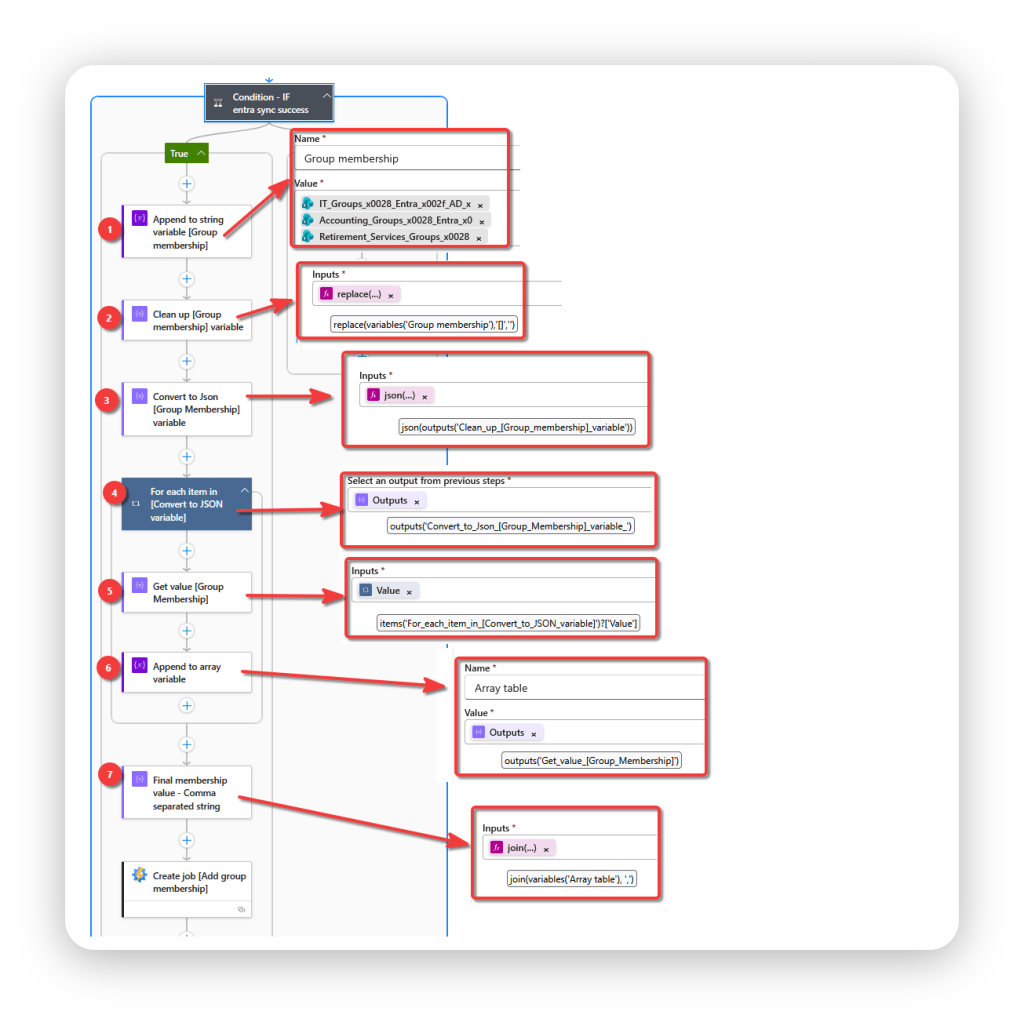
Part 1: Append to string variable [Group membership)
Append to variable [Group membership] with the selections from sharepoint list. The input is stored as odata type.
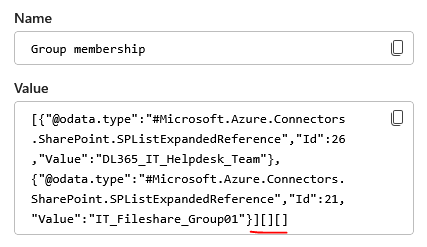
Part 2: Clean up [Group membership] variable
Clean up the input by removing empty brackets “[ ]”. We only want a clean output.
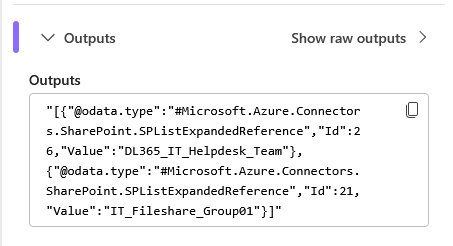
Part 3: Convert to Json [Group Membership] variable
Once the output is cleaned up, convert text to JSON format.
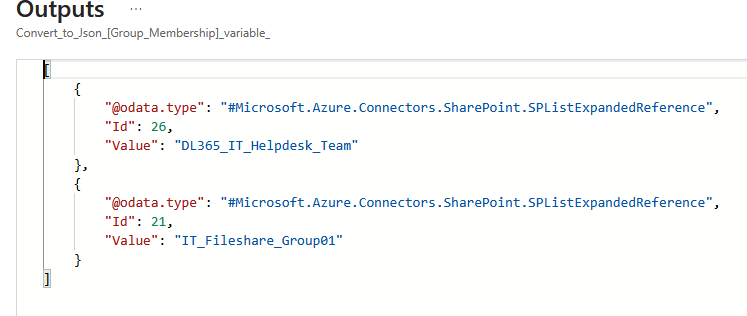
Part 4: For each item in [Convert to JSON variable]
For each item in the JSON array, grab the “value” property.
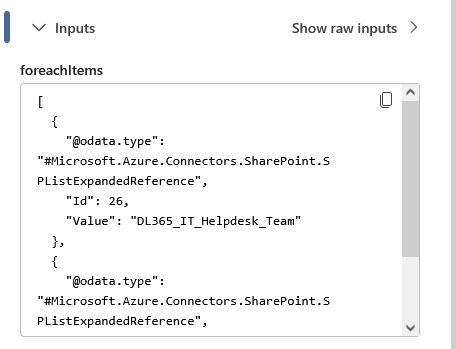
Part 5: Get value [Group Membership]
Get the value from array
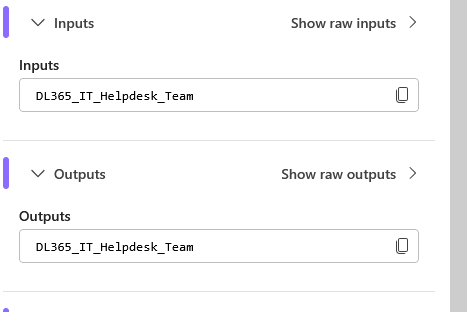
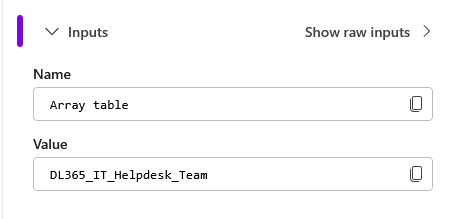
Part 6: Append to array variable
Pass the value from each item and append it to array variable [Array Table]
Part 7: Final membership value – Comma separated string
Combine all the group membership values into a single string with comma separating them.
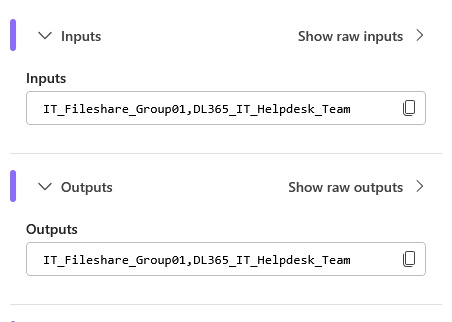
Once the comma separated string is there, it can be separated from runbook by using split. ( -split operator or Split() method )
# Grab comma-separated string from logic app then convert value to array to sort.

try{
$Group_List = $groups.split(',')

# output which group
    foreach($item in $Group_List){

        Write-Output "----------------------------------------"
        Write-Output "Processing item: [$item]"

        AddGroupMembership
    }
}catch{

    # get terminating error
    Write-Error -message $_.Exception
    Write-Output " $($_.Exception.Message)"
    throw $_.Exception

}

