Control actions in Azure Logic Apps allow you to manage the flow of your workflows by adding conditions, loops, and switches to determine which actions to execute based on specific criteria. This enables you to create more complex and dynamic workflows that can respond to different scenarios.
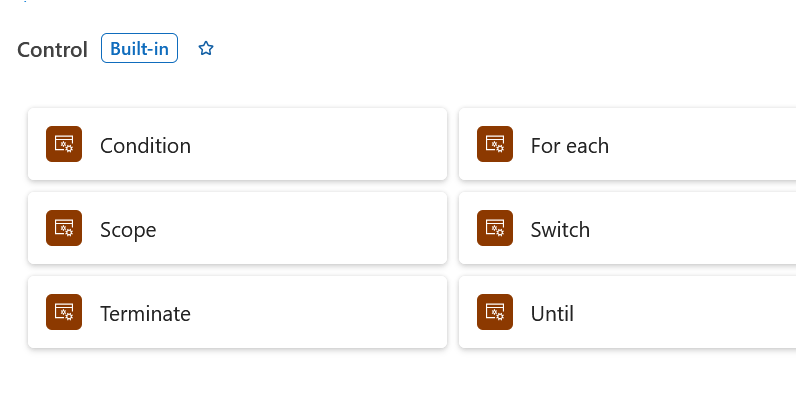
1. Branching & Decision Making

Condition (If/Else): Evaluates a boolean expression (true or false). If true, it executes actions in the True branch; otherwise, it runs the False branch.

Switch (Switch): Evaluates a specific expression or property and routes execution to one matching Case branch out of multiple options. If no cases match, it executes the Default branch.
2. Loops & Iteration

For each (Foreach): Iterates over an array or collection and executes its nested actions for every item. By default, iterations run in parallel (up to 20 concurrent runs), but can be configured to run sequentially.

Until (Until): Executes its inner actions in a loop until a specific condition evaluates to true. It evaluates the condition after each iteration and includes built-in timeout/iteration limits to prevent infinite loops.
3. Execution Control & Grouping

Scope (Scope): Logically groups multiple actions together into a single block. Scopes allow you to monitor the aggregate status (Succeeded, Failed, etc.) of all enclosed actions, making them essential for try/catch error handling patterns.

Terminate (Terminate): Immediately stops the execution of an in-flight workflow instance. You can set the final execution status to Succeeded, Cancelled, or Failed (and supply custom error codes/messages).
Example:
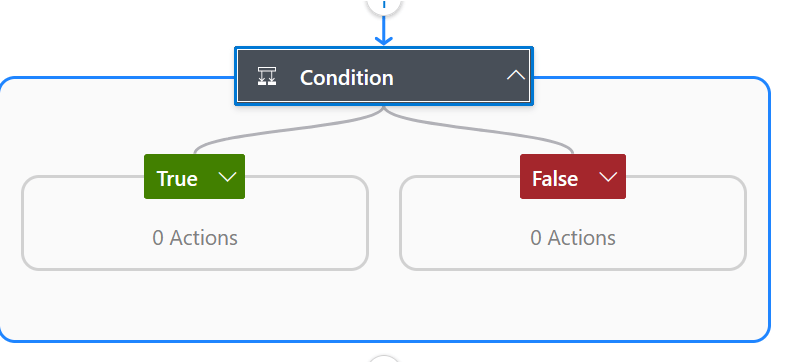
The Condition control action is a fundamental logical block that functions like an if-then-else statement. It allows your workflow to branch into two different paths based on whether a specific criteria is met.
How it Works - A Condition action evaluates a boolean expression (True or False).

• True Path: If the condition is met, the actions inside the "True" block are executed.
• False Path: If the condition is not met, the actions inside the "False" block are executed.
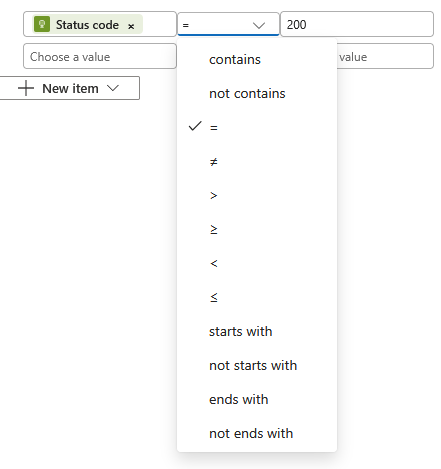
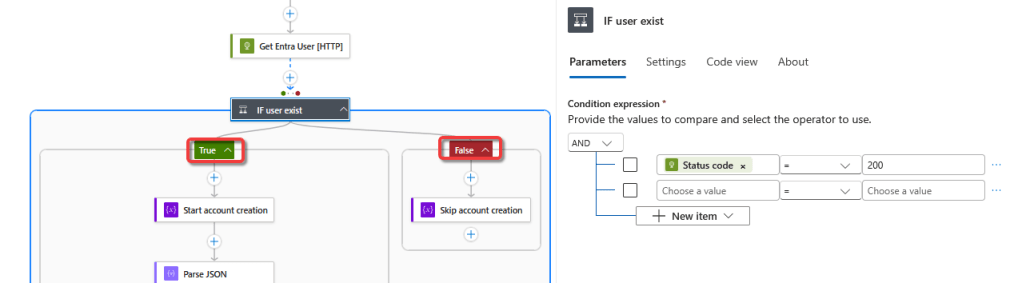
The following condition only executes true if the HTTP call status code equals 200 (successful). Aside from using “=”, there are other operators such as contains, not contains, >, start with, etc…
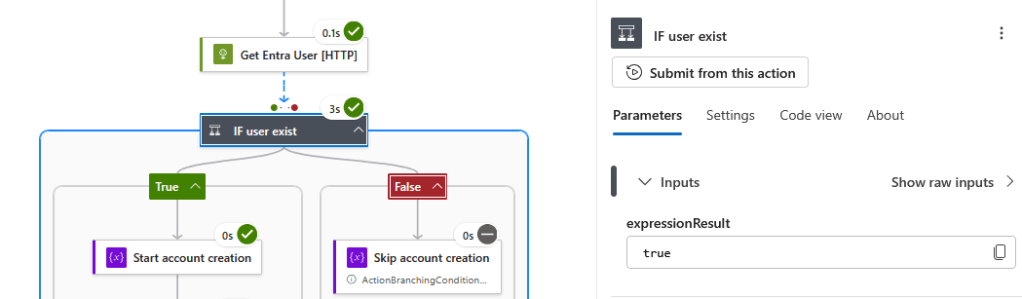
The following outcome shows that the condition evaluates to be true since the false branch did not execute.
Condition settings:
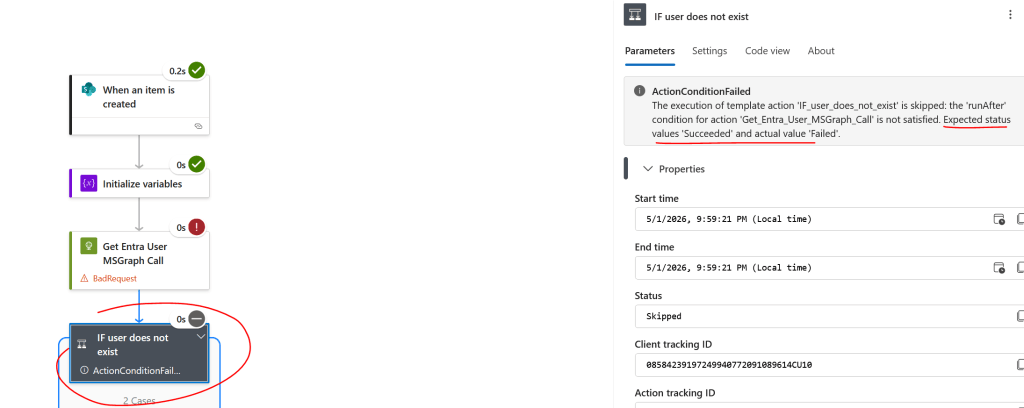
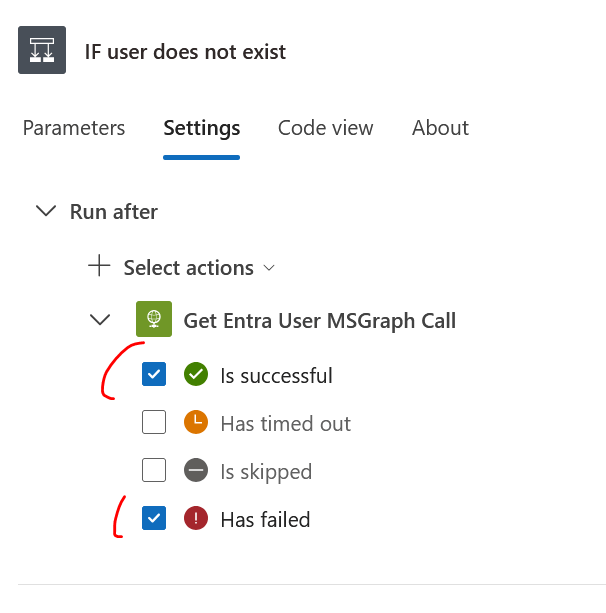
By default, if the action before the T/F condition fails to run – the entire flow stops, thus the condition is NOT evaluated. If a scenarios requires the next step is execute EVEN IF the HTTP call failed to run, modifying the setting of the control condition needs to be done.
The screen below shows the behavior of the condition when the HTTP call fails, resulting in condition not running.
To resolve this issue, change the setting on the T/F condition to run even if the previous action has failed.
Example: Use condition to evaluate Empty/Null values
How to verify if JSON object data type array contains null values from [Parse Json] action.
The following output is array type and there is no value. The output comes from [parse json] action.
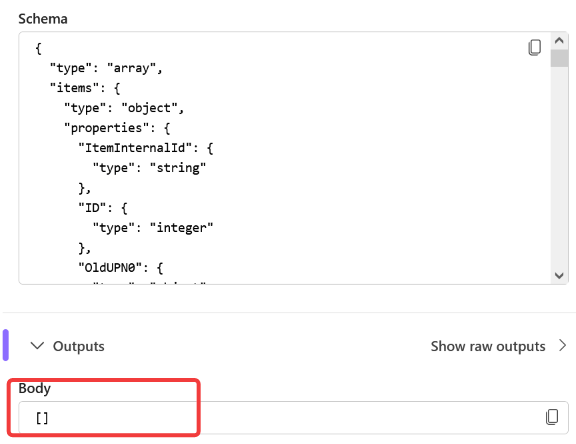
IF a condition is required to evaluate whether the output is EMPTY/NULL – try the following:
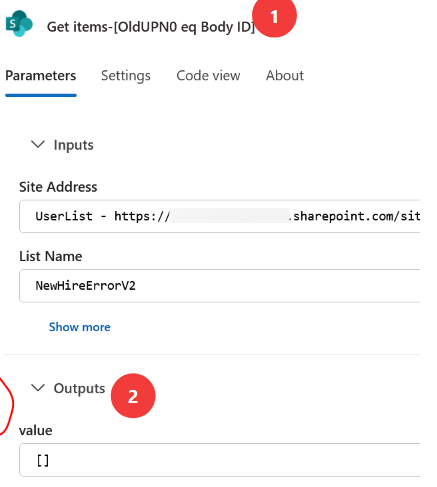
Output:
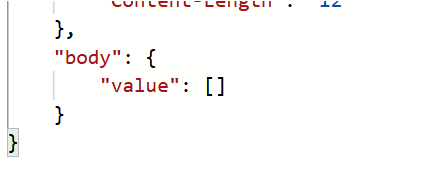
Check if the value inside body of [Get-items OldUPN0_eq_Body_ID] exist by calling the [Empty] function:
Empty(body('Get_items-[OldUPN0_eq_Body_ID]')?['value'])

** True or false may be case sensitive - use all lower case **
IF get-items is NULL:
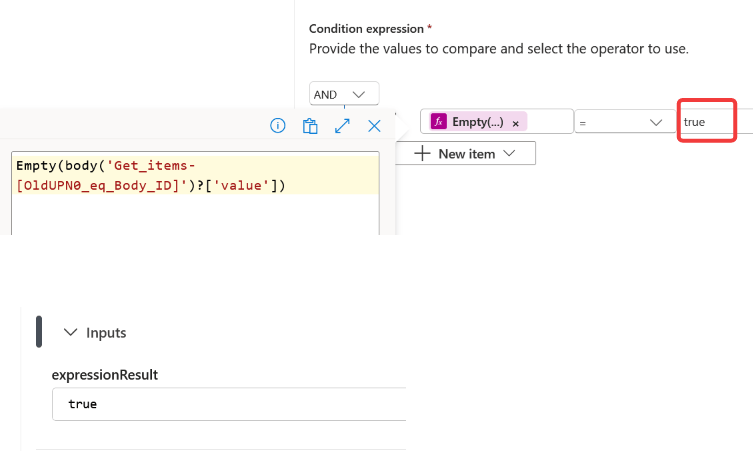
IF get-items is NOT NULL:
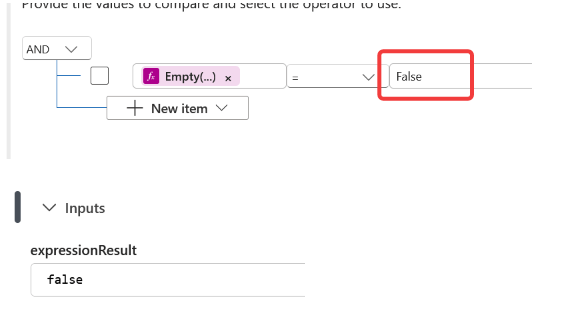
Check if a variable is empty by using the following function (Empty(Variables(MyVariableX)))
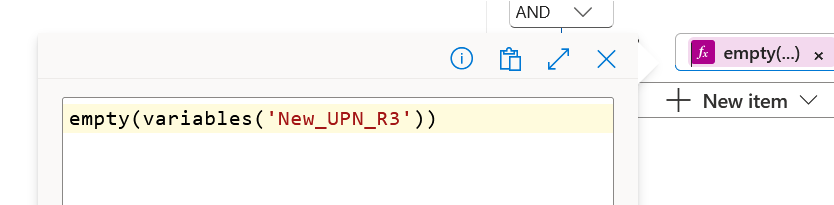
Check if ANY of the variables [“New_UPN_R3”] is EMPTY