
An Azure Automation Account is a service in Microsoft Azure that allows you to automate, configure, and orchestrate tasks across Azure and non-Azure environments. One of the key features of an Automation Account is the ability to execute Runbooks, which are scripts or workflows designed to automate repetitive tasks.
By default, Azure automation uses managed identity to securely authenticate and interact with other Azure resources (e.g., Azure Key Vault, Azure Storage, Azure SQL Database, etc.) without the need to handle explicit service principals or client secrets.
Core Configuration Options

Basics & Scope:
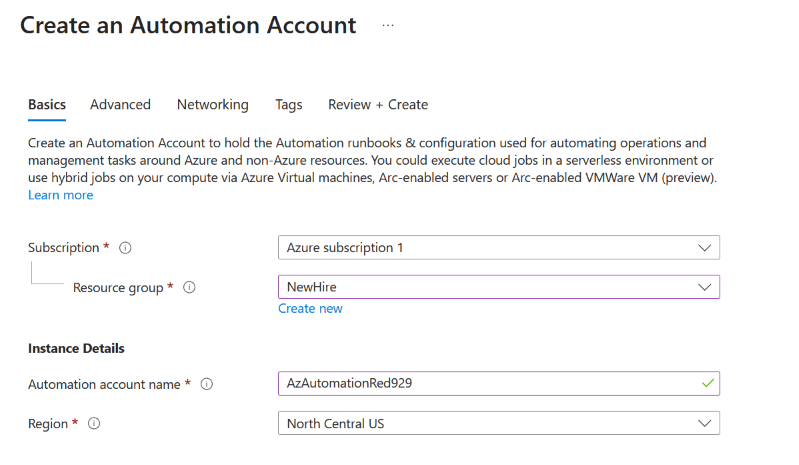
Subscription & Resource Group: Scopes the Automation Account within your Azure hierarchy.

Location / Region: Defines the primary Azure region where the automation account control plane resides.

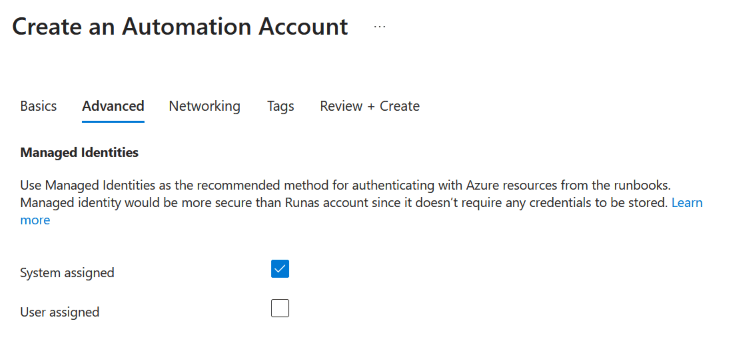
Identity & Authentication (Managed Identity):
System-Assigned Managed Identity: Tied directly to the lifecycle of the Automation Account to authenticate runbooks to Azure resources without embedding hardcoded credentials.

User-Assigned Managed Identity: A standalone managed identity resource that can be assigned to the Automation Account.

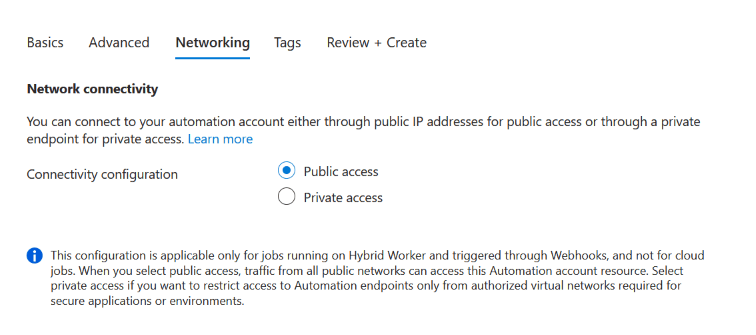
Networking & Access Control:
Public Access: Allows traffic over public endpoints (default, but not recommended for strict security environments).

Private Access: Restricts access using Private Endpoints (Azure Private Link) connected to your Virtual Network. Note: Private access requires executing tasks via Hybrid Runbook Workers and does not support public cloud sandboxes.
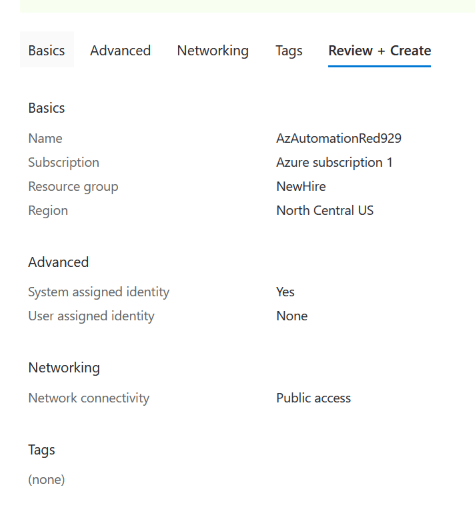
In order to create our runbook, an Azure automation account must be created first.
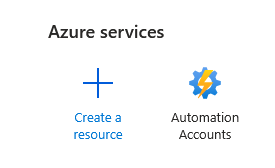
Go to Azure admin portal > Automation accounts >


One thought on “Azure Automation Account”