
This post details scenarios where you may encounter permission issue related to running runbook jobs from logic app in the user provision ILM project.
Setup:

Key vault: [Az-Keyvault-Red929]

User managed identity: [UAMI_Red929]

Resource group: [NewHire] (Contains all API connection, Logic apps (ILM_Onboard) and azure automation account (AzAutomation929))

Automation Accounts Runbook: Three scripts runs the entire orchestration:

1. New_Hire_Create script
2. Entra_sync script
3. Group_membership_all script
Error for azure automation connector from logic app:
Context: Logic app connector is authenticating to runbook with a user managed identity but cannot read the runbook
Grant read access to [UAMI_RED929] targeting azure automation runbook [AzAutomationRed929/New_Hire_Create]
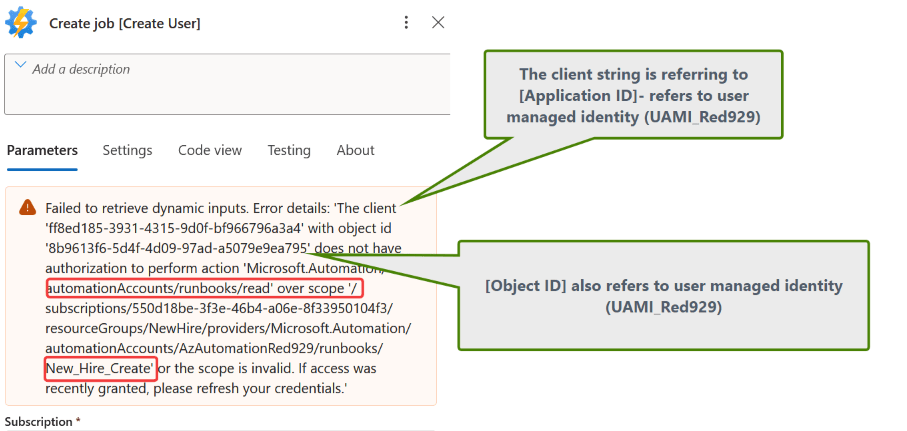
Resolution: If runbook is part of resource group [Newhire] – provide read access to the whole resource group or individual entity. All items in resource group (API connection, runbook) will inherit the permission.

Script: Grab certificate from key vault
Connect to azure key vault to grab certificate for CBA (certificate based authentication) using permission from interactive login. Then verify connection to MS graph using that certificate with service principal [AzMsGraph]
Context: The goal of the script is to grab the certificate that allows CBA to ms graph for automation purposes. It will be reused by other runbooks to modify group membership and verify entra user status.
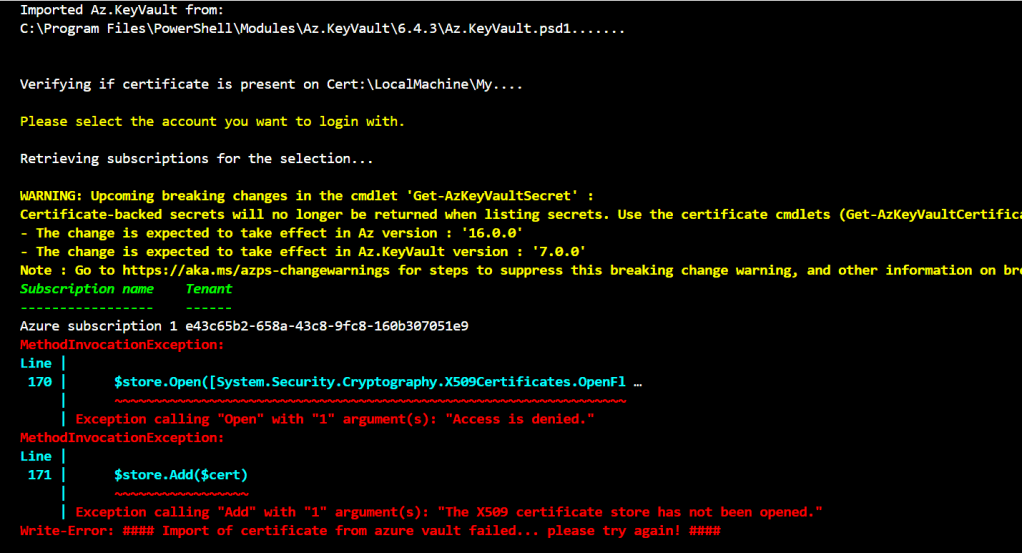
Resolution: The following error shows that accessing the local computer certificate store failed due to access is denied. Restart IDE in admin mode
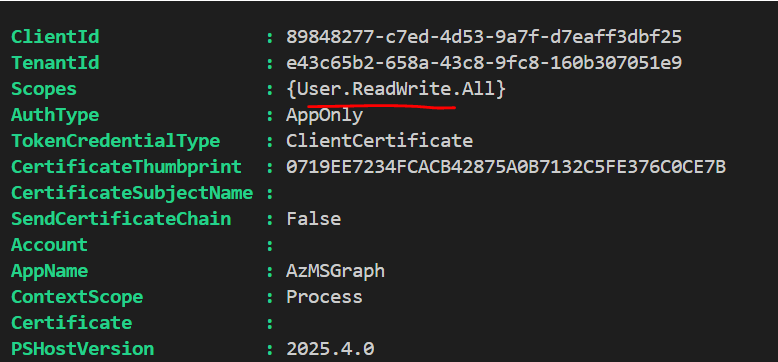
- Validate ms graph connection scope using “Get-MgContext | Select -ExpandProperty Scopes”
Script: New Hire create
Context: The script authenticates to azure key vault using system managed identity. That is the identity of the server itself. However, runbook cannot connect to key vault if permission has not been configured for on premise server.

Resolution:
Go to key vault [Az-Keyvault-Red929] – IAM > role (Key vault secrets user) > assign access to managed identity > machine- azure arc > select on premise server [AD-Connect]
- Key vault reader will not work as this role cannot obtain secret value

Script: Entra sync
Context: The script connect to MS graph via service principal [AzMSGraph] to verify if user exist in entra once delta sync is triggered.
Provide graph – user.Readwrite.all for tenant so it can read and modify users.

Script: Group membership
Context: The script modify entra group member once user is synced over. Group membership is done using EXO commands with “Connect-ExchangeOnline -AppId $AppID “. Connects to service principal [AzMsGraph]
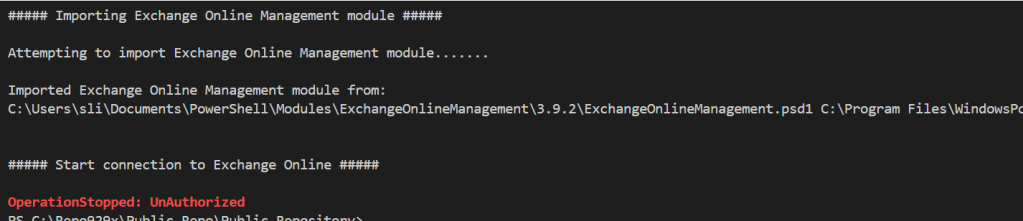
Resolution: Provide exchange online API permissions to service principal.API permission > APIs my organization uses > Office 365 exchange online > Exchange.ManageAsApp & Exchange.ManageAsAppV2

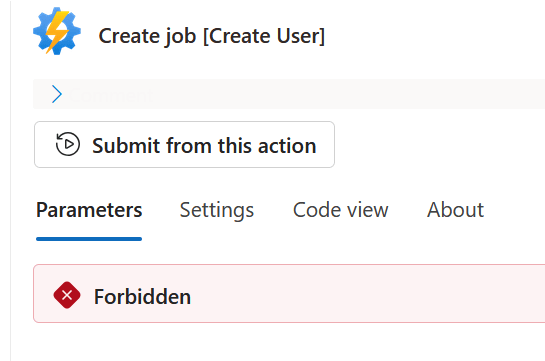
Context: Azure automation connector within logic app is unable to execute the job to create AD user from on premise server.
 "body": {
        "error": {
            "code": "AuthorizationFailed",
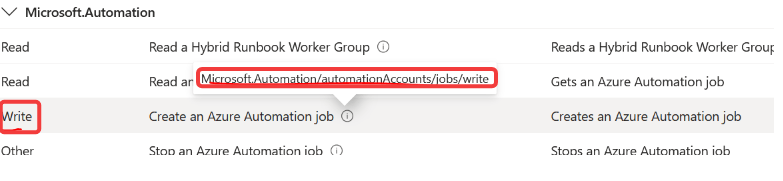
            "message": "The client 'ff8ed185-3931-4315-9d0f-bf966796a3a4' with object id '8b9613f6-5d4f-4d09-97ad-a5079e9ea795' does not have authorization to perform action 'Microsoft.Automation/automationAccounts/jobs/write' over scope '/subscriptions/550d18be-3f3e-46b4-a06e-8f33950104f3/resourceGroups/NewHire/providers/Microsoft.Automation/automationAccounts/AzAutomationRed929/jobs/186c9278-6cf0-460d-9338-691d2e538037' or the scope is invalid. If access was recently granted, please refresh your credentials."
        }
    }
}
Resolution: The client [UAMI_Red929] being authenticated for the job lacks the permission to create or run the job.
Provide the user managed identity account [UAMI_Red929] the role of [Automation job operator] from the resource group [NewHire], which the automation account & logic app is part of.

AzAutomationRed929/New_Hire_Create
Context: Logic app triggers a runbook to create new hire. In the new hire runbook script, there is code to authenticate with managed identity in order to retrieve the secrets from key vault.

Resolution: Since the job is running via azure automation, the automation account [AzAutomation929] system managed identity needs the RBAC role [Key vault secrets User] to retrieve the secrets.


